


The best AI tools for productivity in 2026 are not just about saving time—they are about fundamentally changing how work gets done. Instead of manually completing repetitive tasks, professionals can now delegate parts of their workflow to intelligent systems that assist with writing, research, planning, and execution.
Artificial intelligence is no longer limited to developers or technical teams. Today, entrepreneurs, marketers, freelancers, and business professionals rely on AI tools to simplify their daily work, reduce mental overload, and increase output without increasing effort. The result is a shift from manual work to assisted work, where AI becomes part of your daily thinking process.
This guide covers the best AI tools for productivity, how they are used in real-world workflows, and how to combine them into systems that actually save time.
Explore these AI automation tools for business to streamline workflows.
Why AI Productivity Tools Matter
Traditional productivity tools help you organize tasks, track progress, and manage projects. They are useful, but they rely entirely on manual input. AI tools go further by actively helping you complete the work itself.
Instead of writing from scratch, you generate a draft. Instead of manually researching, you get a summarized overview. Instead of building workflows step by step, you automate them. This reduces cognitive load and allows you to focus on higher-value work.
When used properly, AI productivity tools can:
- Save several hours per week on repetitive tasks
- Reduce decision fatigue by providing structured outputs
- Improve the quality of writing and communication
- Accelerate research and information processing
- Automate administrative and routine work
The key benefit is not just efficiency, but leverage. You are able to produce more output with the same amount of effort, which compounds over time.
The Best AI Tools for Productivity in 2026
ChatGPT — The Core Productivity Assistant
ChatGPT is the most versatile AI productivity tool available. It acts as a general-purpose assistant that can support nearly every type of knowledge work, making it the foundation of most AI workflows.
Its main advantage is flexibility. Unlike specialized tools, ChatGPT can adapt to a wide range of tasks. You can use it to write emails, generate content, organize ideas, plan projects, or even solve complex problems. This makes it the tool you return to throughout the day.
A common use case is starting your day with ChatGPT by asking it to organize your tasks, prioritize them, and break them into actionable steps. Throughout the day, it can help you draft emails, summarize documents, and refine ideas. This reduces context switching and improves focus.
Another advantage is speed. Tasks that used to take 30 minutes, such as drafting a structured document or brainstorming ideas, can now be completed in a few minutes. Over time, this creates significant productivity gains.
ChatGPT works best as the central hub of your productivity system, handling thinking, writing, and planning.
Related guide: 10 ChatGPT Prompts That Save You 10 Hours a Week
Google Gemini — Research and Information Processing
Google Gemini is particularly effective for research-heavy workflows. It excels when accuracy and up-to-date information are critical, making it a strong complement to more general tools.
Because it integrates with Google’s ecosystem, it fits naturally into workflows involving Google Docs, Gmail, and online research. This makes it especially useful for professionals who rely on current data and verified information.
A typical workflow involves using Gemini to gather and summarize multiple sources on a topic. Instead of manually reading several articles, you get a structured overview that highlights key points. This significantly reduces research time.
Gemini is also useful for fact-checking and validating information generated by other tools. This ensures accuracy, which is especially important in professional or analytical work.
It works best as the research layer in your productivity stack, feeding accurate information into your broader workflow.
Claude — Long-Form Writing and Deep Analysis
Claude is designed for working with large amounts of text. It performs particularly well with long documents such as reports, articles, and PDFs, where structure and clarity are important.
Its strength lies in producing well-organized and thoughtful outputs. When editing or refining content, Claude often provides clearer structure and more coherent explanations compared to shorter-response tools.
A common workflow is to draft content using a general tool, then pass it to Claude for refinement. Claude can improve tone, clarity, and organization, making the final output more polished and professional.
It is also useful for breaking down complex topics into simpler explanations. This makes it valuable for learning, analysis, and communication.
Claude is best used as a refinement and deep-thinking tool, particularly when working with long or complex material.
Notion AI — Planning and Knowledge Management
Notion AI combines note-taking with AI assistance, allowing you to turn ideas into structured systems. It is particularly useful for organizing information and managing projects.
Instead of storing scattered notes, you can use Notion AI to convert them into clear plans and actionable tasks. This makes it easier to track progress and stay organized over time.
A typical use case involves capturing ideas throughout the day, then using AI to organize them into categories, tasks, and timelines. This creates a centralized system where everything is structured and accessible.
Notion AI is also effective for maintaining knowledge bases. You can document processes, store information, and use AI to summarize or expand content when needed.
It works best as the organizational backbone of your productivity system.
Zapier — Automation and Workflow Integration
Zapier allows you to connect different apps and automate workflows without coding. This is where productivity gains become exponential, because tasks are no longer done manually at all.
Instead of repeating the same actions every day, you create automated workflows that run in the background. For example, when a new form is submitted, Zapier can automatically send the data to a database, notify your team, and trigger a follow-up email.
This eliminates repetitive administrative work and ensures consistency. Over time, these automations can save hours of manual effort.
Zapier is best used to connect your tools and remove repetitive steps from your workflow.
Make — Advanced Automation
Make is similar to Zapier but offers more flexibility and control. It allows you to build more complex workflows with multiple steps, conditions, and branching logic.
This makes it ideal for advanced users who want to automate detailed processes. Its visual interface makes it easier to design workflows compared to traditional coding approaches.
Make is best used when your automation needs go beyond simple triggers and require more customization.
Canva AI — Visual Productivity
Canva AI simplifies the process of creating visual content. Instead of designing from scratch, you can generate graphics, presentations, and social media visuals quickly.
This is especially useful for content creators and marketers who need consistent visuals. It reduces the time required to produce high-quality design work.
Fireflies — Meeting Productivity
Fireflies automates meeting documentation by recording conversations and generating summaries. This removes the need to take manual notes during meetings.
It allows you to focus on the discussion while still capturing key insights and action items.
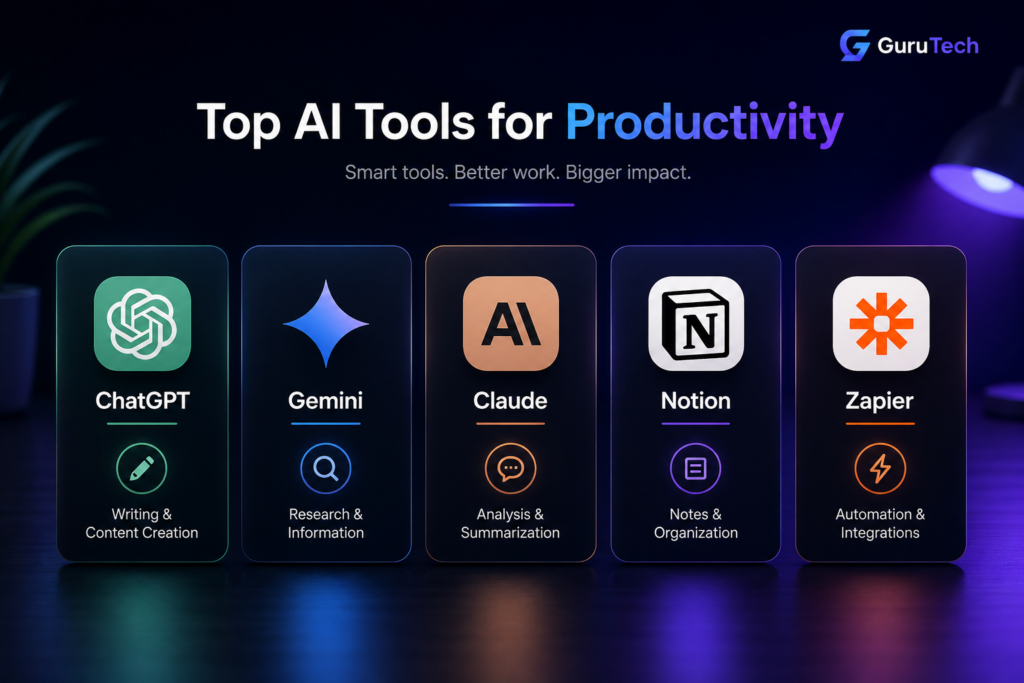
Best AI Tools for Productivity by Category
AI Productivity Tools Comparison
The table below summarizes the key differences between the best AI tools for productivity, helping you quickly choose the right option.
| Tool | Best For | Key Strength | Ease of Use | Pricing Level |
|---|---|---|---|---|
| ChatGPT | Writing, planning, brainstorming | Versatility | Very easy | Free / Paid |
| Gemini | Research and fact-checking | Current information | Easy | Free / Paid |
| Claude | Long documents and editing | Deep analysis | Easy | Free / Paid |
| Notion AI | Organization and notes | Knowledge management | Medium | Paid |
| Zapier | Automation | App integrations | Easy | Free / Paid |
| Make | Advanced automation | Workflow flexibility | Medium | Free / Paid |
| Canva AI | Design and visuals | Ease of design | Very easy | Free / Paid |
| Fireflies.ai | Meetings and transcription | Meeting summaries | Easy | Free / Paid |
In most cases, ChatGPT is the best starting point, while tools like Zapier and Make become more valuable as your workflows grow.
Different tools serve different purposes, and choosing the right one depends on your specific needs.
For writing and general productivity, ChatGPT is the most versatile option. It can handle a wide range of tasks and adapt to different workflows.
For research and fact-checking, Gemini is more reliable, especially when working with current information.
For long documents and analysis, Claude provides better structure and clarity.
For organization and planning, Notion AI helps turn ideas into systems.
For automation, Zapier and Make are the most effective options.
Understanding these categories helps you build a balanced productivity stack instead of relying on a single tool.
Many of these productivity tools are essential for consultants. Learn more in our guide on AI tools for consultants.
Real-World Use Cases of AI Productivity Tools
The true value of AI tools becomes clear when they are used in real workflows.
In content creation, you can use one tool to generate ideas, another to refine writing, and another to create visuals. This reduces the time required to produce content significantly.
In communication, AI can draft emails, summarize conversations, and improve clarity. This speeds up interactions and reduces effort.
In research, AI tools can gather and summarize information from multiple sources, saving hours of manual work.
In project management, AI can convert notes into structured plans and track progress.
In automation, repetitive tasks such as data entry, notifications, and follow-ups can be handled entirely by automated workflows.
These use cases show how AI tools move from being helpful features to essential systems.
How Much Time Can AI Tools Save?
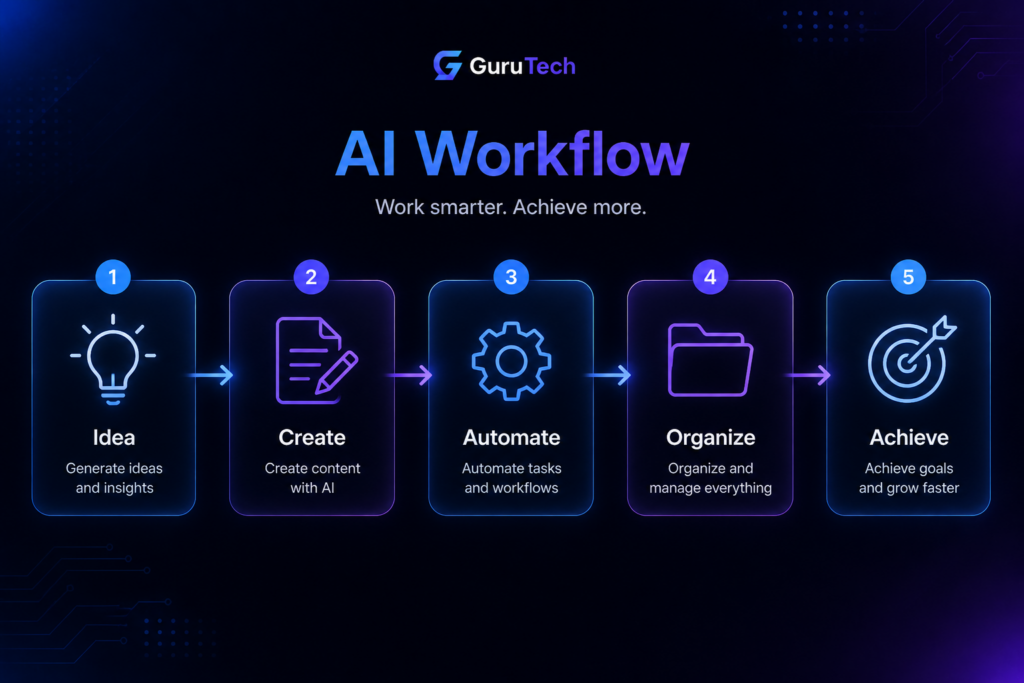
The amount of time saved depends on how consistently AI is used. When used occasionally, the benefits are small. When integrated into workflows, the impact becomes significant.
Research from McKinsey & Company shows that automation can significantly reduce time spent on repetitive tasks across many industries.
Writing tasks can be completed up to 70 percent faster. Research can be reduced by more than half. Administrative work can be almost fully automated in some cases.
For many professionals, this translates into saving five to ten hours per week. Over time, this creates a major advantage in productivity and output.
Common Mistakes to Avoid
One of the most common mistakes is using AI tools without a clear workflow. This leads to inconsistent results and limited benefits.
Another mistake is switching between too many tools. This creates complexity instead of improving productivity.
Not reviewing AI outputs is also a problem. AI should assist your work, not replace judgment.
Finally, many people fail to automate repetitive tasks, which is where the biggest gains come from.
Avoiding these mistakes ensures you get the full value from AI tools.
FAQ
What is the best AI tool for productivity?
ChatGPT is the most versatile option because it can handle a wide range of tasks.
Are AI tools worth it?
Yes, especially when used consistently. They can save several hours per week.
Do I need multiple tools?
No. Start with one tool and expand as needed.
Can AI replace productivity apps?
No. It enhances them rather than replacing them.
Final Thoughts
AI productivity tools are not about working more—they are about working smarter. By integrating these tools into your workflow, you can reduce manual effort, improve output quality, and focus on what matters most.
Start with one tool, build a simple workflow, and expand gradually. Over time, these tools can transform how you work and significantly increase your productivity.