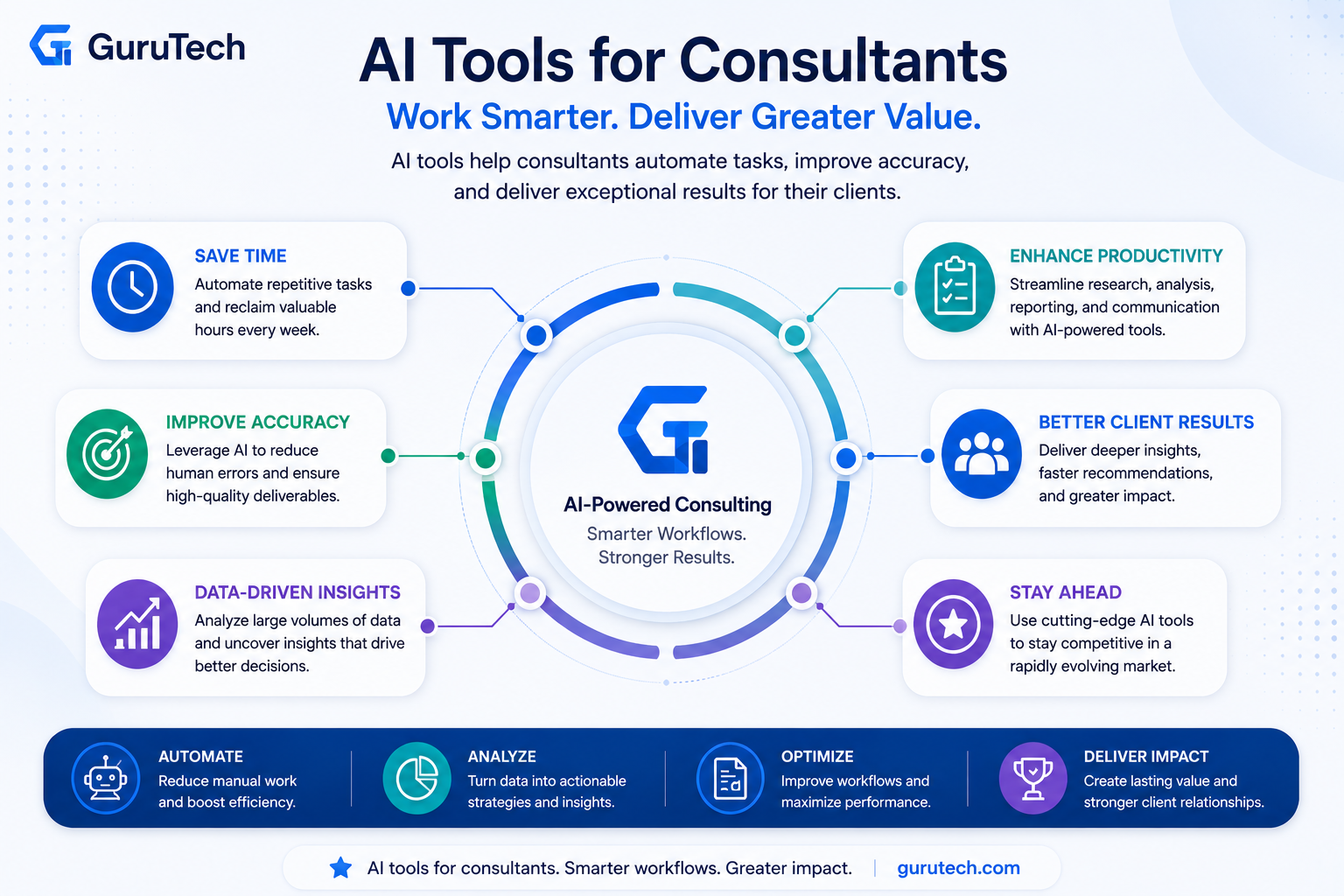
Consultants spend hours each week on research, slide decks, client proposals, and status updates. Today, AI tools for consultants are transforming how this work gets done.
The best AI tools for consultants can automate repetitive tasks, speed up data analysis, and help deliver insights faster and more accurately. Instead of spending hours formatting reports or compiling research, consultants can now focus on strategy, decision-making, and client relationships.
Choosing the right AI consulting tools means understanding which solutions fit your workflow. Some tools excel at turning meeting notes into action items, while others generate proposals, analyze large datasets, or create client-ready presentations in minutes.
This guide walks you through the most effective tools for consultants across every part of your work. You’ll learn how to pick the right solutions, what to look for in each category, and how real consultants use AI daily to win more engagements and serve clients better. You’ll also discover best practices for rolling out these technologies and what’s coming next in AI-powered consulting.
Core Benefits of AI Tools for Consultants
AI tools for consulting deliver measurable improvements in three key areas: they reduce time spent on routine tasks, strengthen research capabilities through advanced data analysis, and maintain consistent quality across client deliverables.
Productivity and Time Savings
AI tools automate the repetitive tasks that consume large portions of your workday. When you use AI writing assistants for drafting reports or presentations, you can reduce document creation time by 50-70%. These tools handle formatting, initial content generation, and data visualization while you focus on strategy and client relationships.
Project management becomes more efficient when AI tracks deadlines, monitors progress, and sends automated updates to clients. You no longer need to spend hours compiling status reports or chasing down project milestones. The learning curve for most AI consulting tools is minimal, often requiring just a few hours to reach basic proficiency.
AI also speeds up tasks like meeting summaries, email responses, and proposal development. What previously took you two hours might now take 30 minutes. This time savings compounds across your entire practice, allowing you to serve more clients or dedicate additional hours to complex problem-solving.
Enhanced Research and Analysis
Predictive analytics tools process market data, industry trends, and competitor information faster than manual research methods. You can analyze thousands of data points in minutes rather than days. AI-powered research platforms scan multiple sources simultaneously, identifying patterns and insights that might take weeks to uncover through traditional methods.
Data analysis becomes more sophisticated with AI. You can run scenario planning models that show clients multiple potential outcomes based on different variables. For example, when advising energy sector clients, AI tools model the impacts of regulatory changes and market shifts within hours.
Key research capabilities include:
- Real-time market intelligence gathering
- Automated competitive analysis
- Pattern recognition in large datasets
- Trend forecasting based on historical data
Your research becomes more comprehensive without requiring additional staff or extended timelines.
Consistency and Quality Improvements
AI maintains uniform quality standards across all your client deliverables. When you use AI writing tools, your reports follow consistent formatting, tone, and structure. This standardization strengthens your professional brand and reduces errors that occur during manual document creation.
Quality control improves because AI catches inconsistencies in data, identifies gaps in analysis, and flags potential errors before documents reach clients. You can implement templates and frameworks that AI populates with client-specific information while maintaining your proven methodologies.
Client confidentiality remains protected when you use enterprise-grade AI tools designed for consulting work. These platforms include security features like data encryption and user access controls. The consistency extends to your analysis methods too. AI applies the same analytical frameworks across different projects, reducing variability in your recommendations and ensuring clients receive equally thorough service regardless of which team member leads their engagement.
Key Considerations for Selecting AI Solutions
The right AI tool depends on how well it fits your existing work processes and protects your clients’ sensitive information. You also need to consider how the tool connects with your current software stack and whether your team can adopt it quickly.
Workflow Compatibility
Your AI tool should match the way you already work, not force you to change everything. If you spend most of your time analyzing data and creating presentations, look for tools that excel at those specific tasks. A strategy consultant needs different features than a financial consultant.
Test the tool with your actual projects during a free trial period. Upload real documents, run typical analyses, and create sample deliverables. This shows you whether the tool saves time or creates extra steps.
Check if the tool supports offline functionality for when you’re traveling to client sites without reliable internet. Some AI platforms require constant cloud connection, which can interrupt your work during flights or in areas with poor connectivity.
Look at how the tool handles your common file types and output formats. You need seamless compatibility with the documents, spreadsheets, and presentation formats your clients expect.
Security Features and Data Confidentiality
Client confidentiality is non-negotiable in consulting work. Your AI tool must protect sensitive business information, financial data, and strategic plans.
Review these critical security features:
- End-to-end encryption for data in transit and at rest
- Zero-retention policies that don’t store your prompts or outputs for training
- Access controls with role-based permissions for team members
- Compliance certifications like SOC 2, ISO 27001, or GDPR
Ask vendors directly how they handle your data. Some AI platforms use your inputs to train their models unless you specifically opt out. Others offer enterprise versions with guaranteed data isolation.
For highly sensitive client work, consider tools that can run on private servers or offer dedicated instances. This adds cost but ensures complete control over where data lives.
Integration Capabilities
Your AI tool needs to work with your existing technology stack. Poor integration creates data silos and wastes time on manual transfers between systems.
Check for native integrations with tools you use daily. Your AI solution should connect directly to your project management software, CRM, document storage, and communication platforms. Microsoft 365 Copilot works naturally if you already use Teams, SharePoint, and Excel.
Look for API access if you need custom connections. This lets your IT team build automated workflows between your AI tool and specialized consulting software.
Test the quality of integrations during your evaluation. Some connections only offer basic features while others enable two-way data sync and automated updates.
Browser extensions and desktop apps can improve integration by letting you access AI features without switching between multiple platforms.
Learning Curve and Support
You need to start seeing value quickly without spending weeks in training. Evaluate how long it takes new users to perform basic tasks effectively.
The best AI tools offer intuitive interfaces with clear prompts and examples. You shouldn’t need technical expertise to generate reports, analyze data, or draft presentations. Tools with pre-built templates for common consulting deliverables reduce the learning curve significantly.
Assess the support resources available. Look for comprehensive documentation, video tutorials, and active user communities. Live chat support helps when you encounter issues during client deadlines.
Many vendors offer onboarding sessions for new accounts. Take advantage of these to learn advanced features and best practices from experienced users.
Test the tool’s responsiveness to questions and problems during your free trial. Response times and support quality often decline after you become a paying customer, so evaluate them early.
AI-Powered Research and Knowledge Management Tools
Consultants spend hours gathering client intelligence, industry reports, and competitive data. AI research tools now compress multi-hour research sessions into minutes using advanced search algorithms and document processing.
Prompt-Based Assistants and AI-Powered Search
ChatGPT and Claude serve as your first line of research support. You can ask these tools to summarize complex topics, compare industry trends, or draft initial analysis frameworks. ChatGPT with GPT-4o handles multi-step reasoning tasks and can process both text and images in a single conversation.
Perplexity AI takes a different approach by combining search with citations. Instead of generic responses, Perplexity Pro pulls from current sources and shows you exactly where each claim originates. This matters when you need to verify facts for client presentations.
Claude Pro excels at analyzing large documents up to 200,000 words. You can upload entire RFPs, annual reports, or research papers and ask specific questions about their content. The tool maintains context across long conversations, making it useful for multi-day projects.
AI Knowledge Base Platforms
Notion AI integrates directly into your existing Notion workspace. You can tag client projects, meeting notes, and research findings, then use AI to search across all your documents simultaneously. The notes feature automatically generates summaries of page content and suggests related materials you’ve already saved.
These platforms create searchable repositories of everything you’ve worked on. Instead of manually organizing files by client or date, you describe what you need and the AI retrieves relevant information. This saves time when onboarding new team members or referencing past deliverables.
Document Analysis and Summarization
AI-powered search tools scan PDFs, presentations, and spreadsheets to extract key findings. You upload a 50-page market analysis report and receive a bullet-point summary in seconds. The technology identifies data tables, charts, and highlighted sections automatically.
Document analysis tools compare multiple files side-by-side. You might upload three competitor strategy documents and ask the AI to create a comparison table of their pricing models, target markets, and growth plans. Gemini handles this type of multi-document synthesis across various file formats including Google Docs and Sheets.
Solutions for Data Analytics and Visualization
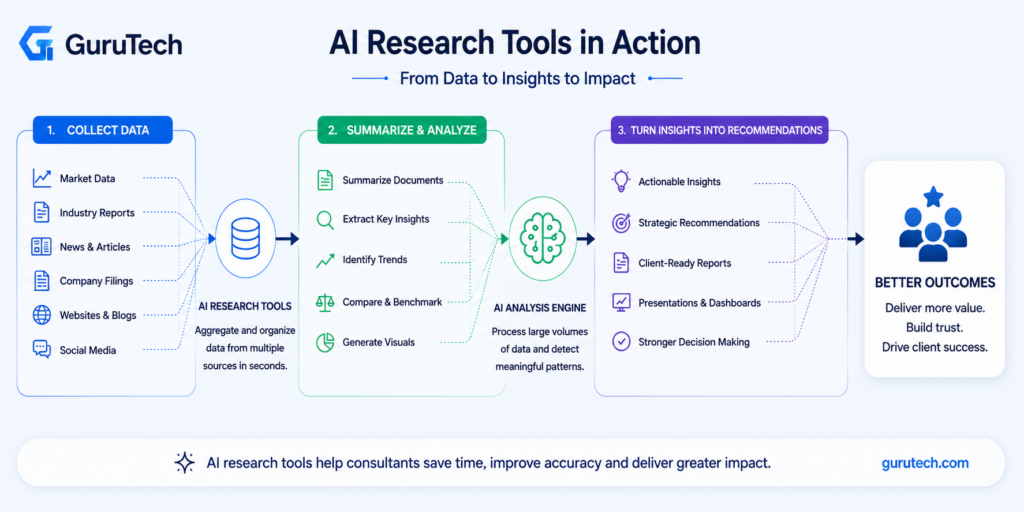
AI-powered analytics tools help you transform raw client data into clear insights and professional reports. These platforms combine automated analysis with visual dashboards that make complex information easier to understand and share.
Data Visualization Platforms
Tableau stands out as a leading platform for consultants who need to create interactive dashboards and data visualizations. The platform uses Tableau AI to automatically suggest the most effective chart types based on your data patterns. You can connect multiple data sources, build custom visualizations, and share live dashboards with clients.
When you upload a dataset, Tableau AI analyzes the information and recommends visualizations that highlight key trends. For example, if you’re analyzing sales data across regions, the tool suggests geographic heat maps and comparative bar charts automatically.
Airtable offers a different approach by combining database functionality with visualization features. You can organize client project data in customizable tables, then generate charts and timeline views without coding. The platform works well for consultants who manage multiple projects and need to track metrics over time.
Both platforms let you create reports that update automatically as new data arrives. This saves you from manually rebuilding charts each week or month.
Report Generation and Predictive Analytics
Predictive analytics tools use historical data to forecast future trends for your clients. These systems identify patterns in past performance and calculate likely outcomes based on current conditions.
You can use predictive models to show clients what might happen if they maintain current strategies versus making recommended changes. The tools generate probability scores and confidence intervals that add credibility to your recommendations.
Report generation features turn your analysis into polished documents automatically. You select the data points, visualizations, and key findings you want to include. The AI formats everything into a professional layout with consistent branding and styling.
Most platforms let you set up report templates that pull fresh data each reporting period. This reduces the time you spend on routine client updates from hours to minutes.
Client Deliverable Creation and Proposal Tools
AI-powered platforms now handle the heavy lifting of creating professional proposals and presentations, letting you focus on strategy rather than formatting. These tools use automation to build branded documents, generate design layouts, and maintain consistency across all client materials.
Interactive Proposal Platforms
Qwilr and PandaDoc lead the market for interactive proposal creation. These platforms turn static documents into engaging web-based experiences that clients can sign and approve online.
You can build proposals that include pricing calculators, embedded videos, and acceptance buttons. The AI features suggest content based on your past winning proposals and automatically populate client details across sections.
PandaDoc offers built-in analytics that show which sections clients read and how long they spend on each page. This data helps you understand what matters most to your prospects. Both platforms integrate with CRM systems to pull client information and push signed contracts back into your workflow.
The approval process speeds up significantly when clients can review, comment, and sign without downloading files or printing documents.
Presentation and Slide Design
Beautiful.ai uses artificial intelligence to handle slide layouts and design choices as you add content. The platform automatically adjusts spacing, aligns elements, and suggests color schemes that match your brand.
You type your content and the AI selects appropriate slide templates and visual styles. When you add a new bullet point or image, the software rebalances the entire slide to maintain professional spacing.
The tool includes a library of consultant-specific templates for strategy frameworks, financial projections, and organizational charts. Smart slides adapt when you change data, updating charts and graphics without manual reformatting.
Templates and Document Automation
Document automation tools store your standard frameworks and populate them with client-specific information. You maintain a library of templates for common deliverables like market analyses, implementation roadmaps, and executive summaries.
AI fills in variable fields like company names, industry data, and project timelines across multiple pages. This eliminates copy-paste errors and cuts document preparation time by up to 70%.
The systems learn from your edits and suggestions, improving template quality over time. You can set rules for which sections appear based on project type or client industry, ensuring each deliverable includes only relevant content.
Emerging Trends and the Future of AI in Consulting
AI consulting tools are shifting toward predictive capabilities and modular workflows that let you customize how different AI systems work together. These changes are reshaping how consultants analyze data, build processes, and manage their entire toolkit.
AI-Driven Predictive Analytics
Predictive analytics now goes beyond simple forecasting to help you identify client risks before they become problems. Modern tools analyze historical project data, market conditions, and client behavior patterns to predict outcomes with increasing accuracy.
You can use these systems to forecast project timelines, budget overruns, and resource needs. For example, when preparing a client proposal, predictive models analyze similar past engagements to estimate realistic delivery dates and potential roadblocks.
Key applications include:
- Client churn prediction based on engagement patterns
- Revenue forecasting for consulting practices
- Resource allocation optimization across multiple projects
- Market trend analysis for strategy recommendations
The technology helps you move from reactive problem-solving to proactive consulting. You can present clients with data-backed scenarios that show likely outcomes under different strategic choices.
Block-Based AI Workflows
AI blocks represent a shift toward modular, customizable AI systems that you can connect like building blocks. Instead of relying on single-purpose tools, you now assemble workflows by linking different AI capabilities together.
You might connect a data extraction block to an analysis block, then route the output to a report generation block. This approach gives you control over how AI processes information without requiring coding skills.
These workflows often include offline functionality, letting you work on sensitive client data without internet connectivity. You can build templates for common consulting tasks like market analysis, competitive research, or financial modeling.
The modular approach means you can swap components as better AI models become available. Your workflow stays consistent while the underlying technology improves.
The Evolution of Consulting Tool Stacks
Your consulting toolkit is consolidating from dozens of specialized apps into integrated platforms. Modern stacks combine project management, client communication, research tools, and AI capabilities in unified systems.
This evolution reduces context switching and data silos. You can move from client research to presentation creation without exporting and importing files between applications.
New capabilities entering tool stacks include voice cloning for creating presentation narrations and multilingual client deliverables. Some platforms now offer AI assistants that understand your specific consulting methodology and client history.
The trend is toward tools that learn from your work patterns. They suggest relevant data sources when you start a new project type or auto-format deliverables based on client preferences from previous engagements.
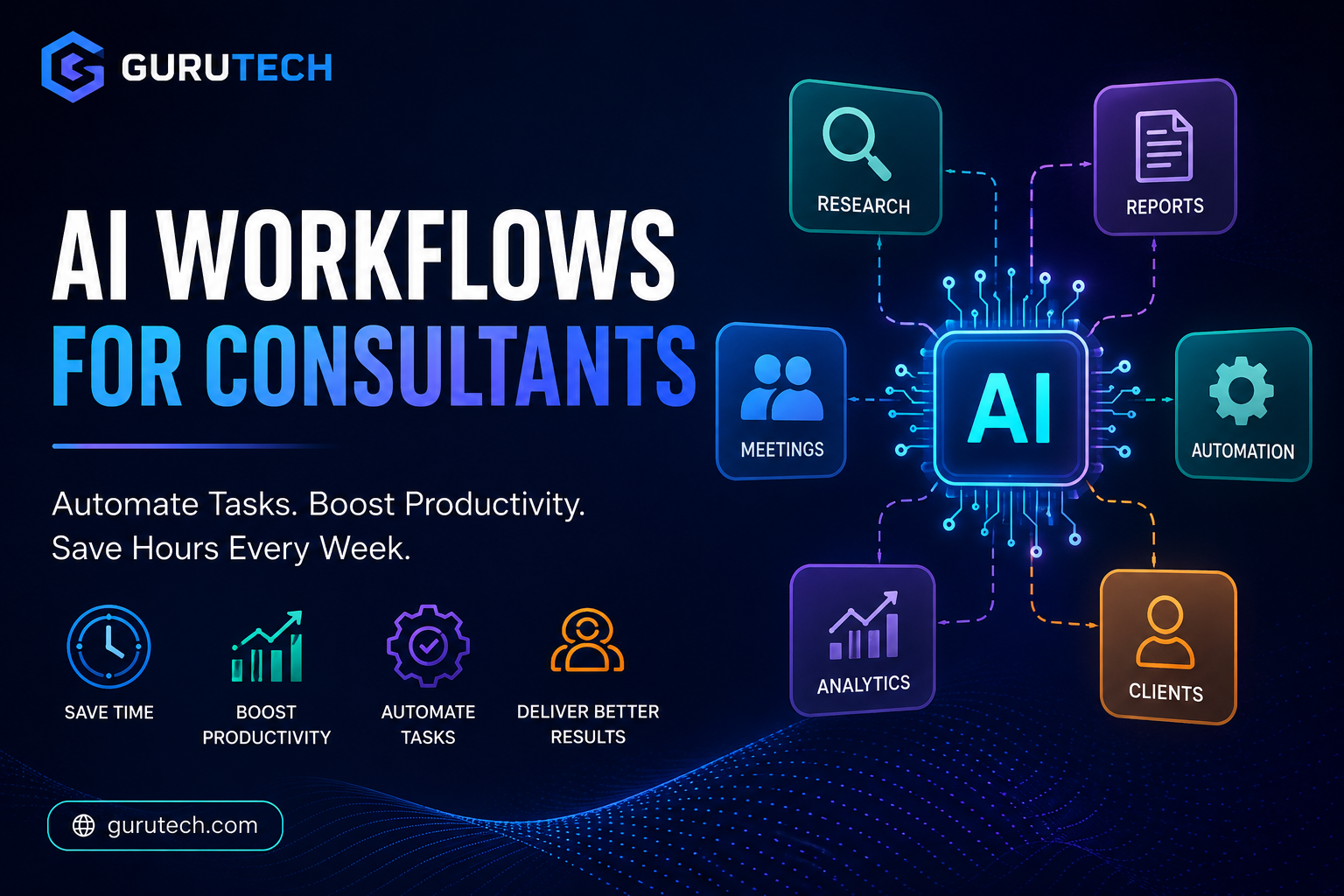
Once you have selected the right tools, the next step is building efficient systems. Learn how to do this in our guide on AI workflows for consultants.
Frequently Asked Questions
Consultants face specific challenges when choosing and implementing AI tools, from selecting the right platform for client research to ensuring data security compliance. These questions address the most common technical and workflow decisions you’ll need to make.
Which AI apps best support client research and competitive analysis?
Perplexity stands out for market research because it provides source-backed answers with citations. You can ask it to analyze competitor positioning or industry trends, and it will pull from recent sources while showing you exactly where the information came from.
Claude excels at deep document analysis. Upload a competitor’s annual report or industry white paper, and it can extract key insights, compare strategic positions, or identify gaps in the market.
ChatGPT with web browsing works well for broad research sweeps. You can ask it to summarize recent news about a client’s industry, identify emerging technologies, or compile information about potential acquisition targets.
For a typical competitive analysis workflow, start with Perplexity to gather recent market data and competitor information. Then upload relevant documents to Claude for deeper analysis of strategic positioning and business models.
What free options can handle note-taking, meeting summaries, and action items reliably?
Otter.ai offers a free tier that transcribes up to 300 minutes per month. It captures meeting conversations, identifies speakers, and generates basic summaries with action items highlighted.
Fireflies.ai provides similar functionality with a free plan covering unlimited transcription but limited storage. It integrates with Zoom, Teams, and Google Meet to automatically join and record calls.
ChatGPT’s free version can process meeting notes you paste into it. Copy your raw notes or transcript, then ask it to extract action items, key decisions, or create an executive summary. This takes more manual work but costs nothing.
For a practical workflow, use Otter or Fireflies to record and transcribe your client call. Export the transcript, then paste it into ChatGPT with a prompt like “Extract all action items and assign them to the person responsible, then summarize the three main decisions made.”
How can consultants use generative AI to draft proposals, SOWs, and executive-ready slide narratives?
Start with ChatGPT or Claude by providing your scope details, client context, and deliverables. Ask it to draft a statement of work structure with sections for background, scope, deliverables, timeline, and pricing.
For proposals, give the AI your discovery notes and ask it to write specific sections. For example: “Based on these client pain points, write a 200-word executive summary explaining how our approach will address their revenue growth challenges.”
Gamma can turn your outline into formatted slides. Input your key points and let it generate a visual presentation structure you can refine.
A typical workflow starts with ChatGPT drafting your proposal content. You review and edit for accuracy and client specifics. Then copy the refined sections into Gamma or your slide tool to create the formatted deck. Always customize the AI output with client-specific details, proprietary methodologies, and case examples.
What security, privacy, and compliance checks should be required before using third-party AI tools with client data?
Check if the AI tool stores your inputs for training purposes. ChatGPT’s default mode saves conversations for model improvement unless you disable chat history or use the API with data retention turned off.
Review the vendor’s data processing agreement and privacy policy. Look for specific language about whether they access, store, or use your inputs. Claude for Work and ChatGPT Enterprise offer better privacy guarantees than free consumer versions.
Verify compliance certifications relevant to your client’s industry. Check for SOC 2 Type II, GDPR compliance, HIPAA compatibility if handling health data, or ISO 27001 certification.
Before uploading client documents, redact identifying information like company names, employee details, financial specifics, and proprietary data. Replace them with generic placeholders that let the AI understand context without exposing sensitive details.
Create an internal policy requiring approval before using any new AI tool with client information. Document which tools are approved for different data sensitivity levels.
How do Claude and Perplexity compare for deep research, document analysis, and source-backed answers?
Claude handles longer documents better, accepting up to 200,000 tokens in a single conversation. You can upload multiple PDFs, annual reports, or research papers and ask it to synthesize findings across all of them.
Perplexity searches current web sources and provides citations for every claim. When you need recent market data, news, or publicly available information with verifiable sources, it delivers answers with links to original sources.
For document analysis tasks, Claude provides deeper reasoning. Upload a client’s RFP and ask Claude to identify gaps, suggest win themes, or draft compliance matrices. It maintains context across long documents and complex analysis.
For market research, Perplexity works faster. Ask it about recent industry trends, competitor moves, or regulatory changes, and it will search current sources and compile an answer with citations you can verify.
Use both in sequence for comprehensive research. Start with Perplexity to gather recent industry information and competitor intelligence. Then upload all relevant documents to Claude for deeper synthesis and strategic analysis.
What workflows help integrate AI into consulting delivery without reducing quality or increasing risk?
Create templates for common AI prompts. Develop a library of tested prompts for proposal sections, research briefs, data analysis requests, and meeting summaries. This ensures consistent quality and saves time reformulating requests.
Establish a review process where AI outputs go through human verification. Use AI to create first drafts of deliverables, but require consultants to fact-check claims, add proprietary insights, and customize for client context.
Build a two-step workflow for client deliverables. Use AI for research synthesis and draft content creation. Then apply your consulting methodology, frameworks, and client-specific recommendations in a second pass.
For data analysis, use AI to identify patterns and generate initial insights. A consultant should then validate findings against domain knowledge, consider business context, and develop actionable recommendations.
Set clear boundaries on what AI can draft versus what requires human expertise. Use it for research summaries, meeting notes, and document first drafts. Keep strategic recommendations, client-specific insights, and final quality control as human responsibilities.
Track which AI applications improve efficiency without quality loss. Test tools on internal projects first, measure time savings and output quality, then expand to client work once validated.