
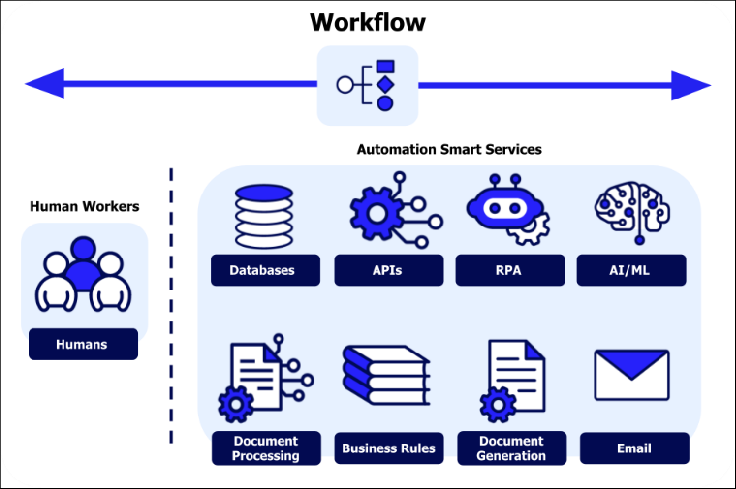
AI automate daily tasks by reducing repetitive work, improving productivity, and helping you build smarter daily systems in 2026.
Artificial intelligence is no longer just something people use for fun, testing, or occasional writing help. It has become a practical productivity tool that can assist with emails, planning, research, summaries, content creation, task management, and business operations.
The real value of AI is not simply asking one question and getting one answer. The bigger opportunity is using AI to automate daily tasks that normally take up time, attention, and mental energy. When used properly, AI can help you work faster, stay organized, and reduce repetitive work without needing advanced technical skills.
This guide explains how to use AI to automate daily tasks, which tasks are best suited for automation, which tools can help, and how to build simple AI workflows that save time every week.
What Does It Mean to Automate Daily Tasks with AI?
Automating daily tasks with AI means using artificial intelligence to handle, speed up, or simplify work that you repeat often. This does not always mean creating a fully automated system that runs without you. In many cases, it means using AI as a smart assistant that helps you draft, summarize, organize, prioritize, or transform information faster.
For example, instead of writing an email from scratch, you can give AI the context and ask it to draft a professional reply. Instead of reading a long document manually, you can ask AI to summarize the key points. Instead of staring at a messy task list, you can ask AI to organize it by priority.
AI automation works best when it removes friction from tasks you already do every day. It does not replace judgment, but it helps you get to a useful first draft, summary, checklist, or decision faster.
Why AI Is Useful for Daily Productivity
Most people lose time in small ways throughout the day. They rewrite emails, search through notes, summarize information manually, organize scattered tasks, and repeat similar decisions. These tasks may seem small individually, but together they can consume hours every week.
AI helps because it is especially strong at working with text, structure, and patterns. It can turn rough notes into organized plans, rewrite unclear messages, summarize long information, compare options, and generate drafts quickly.
The biggest productivity gain comes when you stop using AI randomly and start using it as part of a repeatable workflow.
For example, instead of thinking, “I should ask AI something,” you create a habit:
- Every morning, use AI to organize your task list.
- Every time you receive a long email, use AI to summarize it.
- Every time you write content, use AI to create an outline first.
- Every week, use AI to review priorities and identify what matters most.
This turns AI from a novelty into a practical productivity system.
Daily Tasks That Are Best for AI Automation
Not every task should be automated. The best tasks for AI automation usually have a few things in common. They are repetitive, text-heavy, time-consuming, and low-risk enough that you can review the output before using it.
Good examples include:
- Writing emails and replies
- Summarizing notes, articles, and documents
- Planning daily or weekly tasks
- Creating outlines and first drafts
- Organizing ideas
- Comparing tools or options
- Turning rough notes into action items
- Creating checklists
- Drafting social media posts
- Preparing meeting summaries
Tasks that involve sensitive decisions, financial transactions, legal advice, medical decisions, or final approvals should not be fully automated without human review. AI should support your thinking, not replace responsibility.
Using AI to Automate Writing and Communication
Writing is one of the easiest places to start with AI automation. Many daily tasks involve communication: emails, messages, reports, summaries, proposals, documentation, and follow-ups.
Instead of starting from a blank page, you can give AI the goal, tone, and context. It can then create a first draft that you edit before sending.
For example, you can ask:
“Write a polite professional reply to this email. Keep it short, friendly, and clear.”
Or:
“Rewrite this message to sound more professional but still natural.”
This is useful because the hardest part of writing is often the first version. Once AI gives you a draft, you can adjust the details quickly.
You can use AI to:
- Draft email replies
- Rewrite unclear messages
- Make writing shorter or more professional
- Create follow-up messages
- Summarize long email threads
- Turn bullet points into full paragraphs
If you use ChatGPT regularly, prompts matter. A clear prompt can save much more time than a vague one. For practical examples, read 10 ChatGPT Prompts That Save You Hours.
Email Automation Workflow Example
Here is a simple AI workflow you can use for email:
- Copy the email or message you received.
- Paste it into your AI tool.
- Ask for a short summary.
- Ask AI to draft a reply.
- Edit the reply yourself before sending.
Example prompt:
“Summarize this email in three bullet points, then draft a professional reply. Keep the reply friendly, clear, and under 150 words.”
This workflow can turn a 10-minute email task into a 2-minute task. It also reduces the mental effort of deciding how to start the response.
Automating Task Planning and Organization
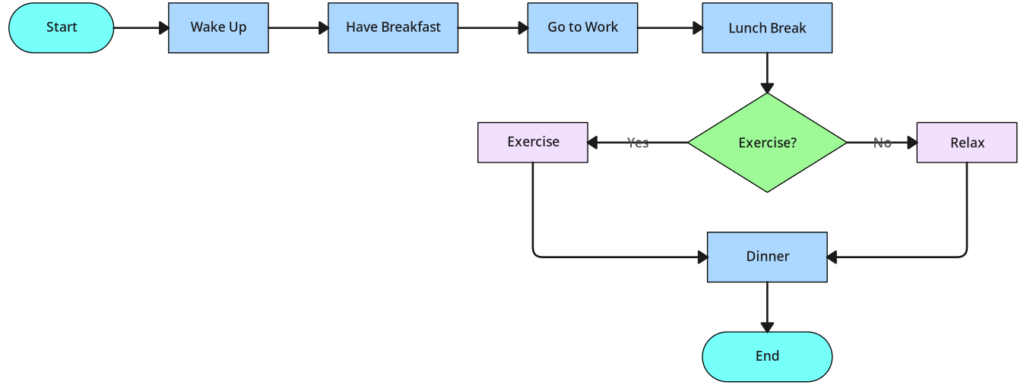
AI is also useful for task planning. Many people have scattered tasks across notes, emails, reminders, and their own memory. AI can help turn that mess into an organized plan.
You can paste a rough list of tasks and ask AI to organize it by priority, urgency, or category.
For example:
“Here is my task list for the week. Organize it into urgent, important, quick wins, and later tasks. Then suggest what I should do today.”
This is useful because AI can help you move from a messy list to a clear plan. It does not know your life perfectly, but it can provide structure that you can adjust.
You can use AI to:
- Create a daily plan
- Prioritize work
- Break large projects into smaller steps
- Turn notes into action items
- Create weekly planning checklists
- Identify tasks that can be delegated or delayed
This works especially well for professionals, freelancers, small business owners, and anyone managing multiple responsibilities.
For a broader overview of productivity-focused tools, see Best AI Tools for Productivity.
Daily Planning Workflow Example
Here is a simple daily planning workflow:
- Write a rough list of everything you need to do.
- Paste the list into AI.
- Ask AI to group tasks by priority.
- Ask it to create a realistic schedule.
- Review and adjust the plan yourself.
Example prompt:
“Organize this task list into a realistic daily plan. Separate urgent tasks, important tasks, and optional tasks. Keep the schedule practical and avoid overloading the day.”
This can help you avoid starting the day overwhelmed. Instead of trying to mentally sort everything, you get a structured plan in seconds.
Learn more in our guide on AI workflows for consultants.
Using AI for Research and Information Processing
Research is another strong use case for AI. Many daily tasks involve reading, comparing, and understanding information. AI can help summarize long articles, explain unfamiliar topics, compare options, and extract key points.
You can use AI to:
- Summarize reports
- Extract key points from articles
- Compare products or services
- Explain technical concepts simply
- Create pros and cons lists
- Turn research notes into an outline
This is helpful because information overload is one of the biggest productivity problems. AI can help you process information faster, but you should still verify important facts from trusted sources.
Different AI models can be better for different tasks. For a detailed comparison, read ChatGPT vs Gemini vs Claude.
You can also learn more about modern AI systems from OpenAI.
AI Automation vs Traditional Automation
It is important to understand the difference between AI automation and traditional automation.
Traditional automation follows rules. For example, “When I receive a form submission, send the data to a spreadsheet.” Tools like Zapier, Make, and IFTTT are often used for this kind of rule-based automation.
AI automation is different because it can interpret, summarize, generate, and adapt. For example, AI can read a customer message, understand the intent, and draft a response.
| Type | How It Works | Example |
|---|---|---|
| Traditional automation | Follows fixed rules | Send form data to a spreadsheet |
| AI automation | Understands and generates content | Summarize a customer email and draft a reply |
| AI workflow | Combines multiple AI-assisted steps | Research, summarize, draft, and organize output |
The most powerful productivity systems often combine both. AI handles thinking-heavy tasks, while automation tools move information between apps.
Best AI Tools to Automate Daily Tasks
The best AI tool depends on what you want to automate. Some tools are better for writing, others are better for research, and others are designed to connect apps together.
| Task | Useful Tool Type | Best Use Case |
|---|---|---|
| Email writing | AI chatbot | Draft replies, rewrite messages, summarize threads |
| Research | AI assistant | Summarize articles, compare options, explain topics |
| Task planning | AI productivity tool | Create daily plans and action lists |
| Business workflows | Automation platform | Connect apps and trigger actions |
| Content creation | AI writing tool | Create outlines, drafts, and social posts |
The best approach is not to use every tool at once. Start with one AI assistant and one daily use case. Once that becomes useful, expand gradually.
How Small Business Owners Can Use AI Automation
Small business owners can benefit heavily from AI automation because they often manage many roles at once. They may handle customer service, marketing, planning, operations, emails, and content without a large team.
AI can help small businesses with:
- Drafting customer replies
- Writing product descriptions
- Creating marketing ideas
- Summarizing customer feedback
- Generating social media posts
- Creating standard operating procedures
- Organizing weekly priorities
For example, a small business owner can paste customer questions into AI and ask it to create a helpful reply. They can also ask AI to turn repeated customer questions into an FAQ page.
This does not mean AI should replace customer service. It means AI can speed up first drafts and reduce repetitive typing.
For more examples, read AI Tools for Small Business.
How Professionals Can Use AI to Save Time
Professionals can use AI to reduce administrative work and improve focus. Many office tasks involve reading, writing, summarizing, and planning. These are exactly the areas where AI can help.
Professionals can use AI to:
- Summarize meetings
- Create follow-up emails
- Organize project notes
- Draft reports
- Prepare presentation outlines
- Prioritize weekly work
One useful habit is to end each meeting by pasting rough notes into AI and asking for three outputs: summary, decisions, and action items. This creates a clear record without spending extra time formatting notes manually.
How to Build a Simple AI Workflow
Building an AI workflow does not need to be complicated. The goal is to create a repeatable process that helps you complete a task faster.
Use this simple framework:
- Identify a repetitive task. Choose something you do often.
- Define the input. Decide what information AI needs.
- Create a prompt. Write clear instructions.
- Review the output. Edit and verify before using it.
- Repeat and improve. Refine the workflow over time.
For example, if you often write project updates, your workflow could look like this:
- Paste rough notes from the week.
- Ask AI to organize them into completed work, current blockers, and next steps.
- Edit the final update.
- Send or save it.
This is simple, but it can save time every week.
Advanced AI Automation: Combining Tools
Once you are comfortable using AI for individual tasks, the next step is combining AI with automation tools. This is where you move from simple assistance to more powerful workflows.
For example:
- Use AI to summarize incoming information.
- Use an automation tool to send the summary to a task manager.
- Use a notes app to store the final output.
A content workflow might look like this:
- Use AI to generate topic ideas.
- Use AI to create an outline.
- Write or edit the draft.
- Use AI to create a meta description.
- Publish the final article.
A business workflow might look like this:
- Collect customer questions.
- Use AI to summarize common issues.
- Create standard response templates.
- Use automation tools to route messages or tasks.
This is where AI becomes more than a writing assistant. It becomes part of a productivity system.
Simple AI Automation Examples You Can Start Today
You do not need a complex setup to start. Here are practical examples you can use immediately:
- Paste a long email and ask AI to summarize it.
- Ask AI to draft a reply before you edit it.
- Paste meeting notes and ask for action items.
- Ask AI to turn a messy task list into a daily plan.
- Ask AI to rewrite a message in a clearer tone.
- Ask AI to create a checklist from instructions.
- Ask AI to compare two tools or options.
- Ask AI to turn rough ideas into an article outline.
The key is consistency. Automating one task every day is more valuable than testing ten tools once and never using them again.
Common Mistakes When Using AI to Automate Daily Tasks
AI can save time, but only if used carefully. Many people make the same mistakes when they first start automating tasks.
1. Trying to Automate Too Much at Once
Start small. Pick one repetitive task and improve it before adding more. If you try to automate everything immediately, the system becomes confusing and hard to maintain.
2. Trusting AI Without Reviewing It
AI can make mistakes. Always review important information, especially anything involving facts, numbers, legal topics, medical topics, or financial decisions.
3. Giving Vague Prompts
AI performs better with context. Instead of saying “write this,” explain the audience, goal, tone, and format.
4. Using AI Without a Workflow
Random use can still help, but repeatable workflows save more time. Create a process you can reuse.
5. Forgetting the Human Layer
AI can draft and organize, but your judgment still matters. The best results come from combining AI speed with human review.
How to Build an AI Automation Habit
The best way to benefit from AI is to make it part of your daily routine. You do not need to use AI for everything. You only need to use it consistently where it saves time.
Start with this simple plan:
- Choose one task you repeat often.
- Create one reusable prompt.
- Use it every day for one week.
- Improve the prompt based on results.
- Add another workflow only when the first one works well.
For example, if email is your biggest time drain, start there. If planning is your biggest problem, use AI every morning to organize your tasks. If content creation takes too long, use AI to create outlines and first drafts.
Small improvements compound. Saving 10 minutes per day may not seem huge, but over a month it becomes several hours of recovered time.
FAQ: AI Automate Daily Tasks
What are the best daily tasks to automate with AI?
The best daily tasks to automate with AI are repetitive, text-heavy, and easy to review. Examples include emails, summaries, task planning, meeting notes, outlines, checklists, and basic research.
Do I need technical skills to automate daily tasks with AI?
No. Many AI tasks can be automated with simple prompts. You can start with tools like ChatGPT or other AI assistants before using more advanced automation platforms.
Can AI fully replace my daily work?
No. AI is best used as an assistant. It can speed up drafting, summarizing, organizing, and planning, but important decisions still require human judgment.
What is the difference between AI and automation tools?
Automation tools follow rules, while AI can interpret and generate content. The strongest workflows often combine both.
How much time can AI automation save?
It depends on how often you use it. Even saving 10 to 20 minutes per day can add up to several hours per month.
Final Thoughts
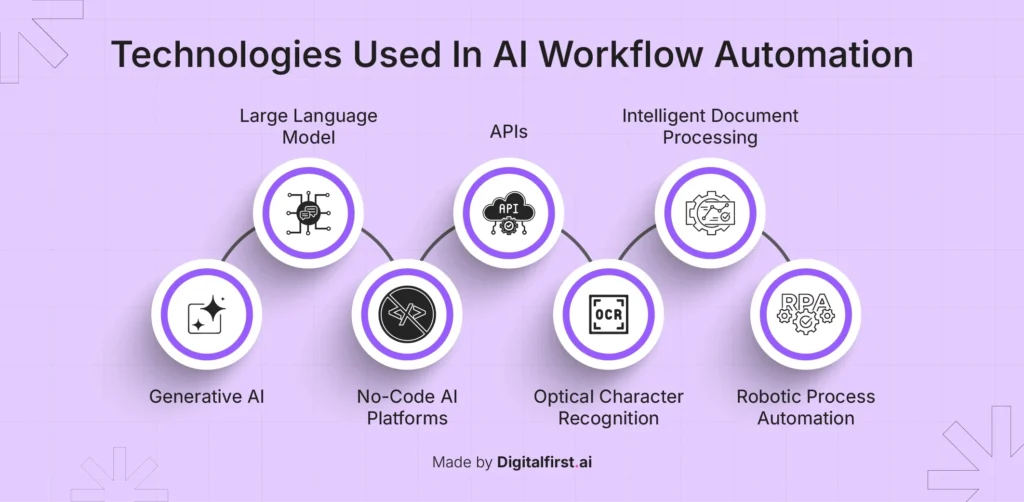
Using AI to automate daily tasks is not about removing yourself from your work. It is about removing unnecessary friction from the tasks that slow you down.
Start with one task. Use AI to make that task easier. Refine your prompt. Repeat the workflow until it becomes natural. Then expand to another area.
The real productivity gain does not come from using AI once in a while. It comes from building small repeatable systems that save time every week.
AI automation is not about replacing your workflow. It is about upgrading it.
Related guides: