
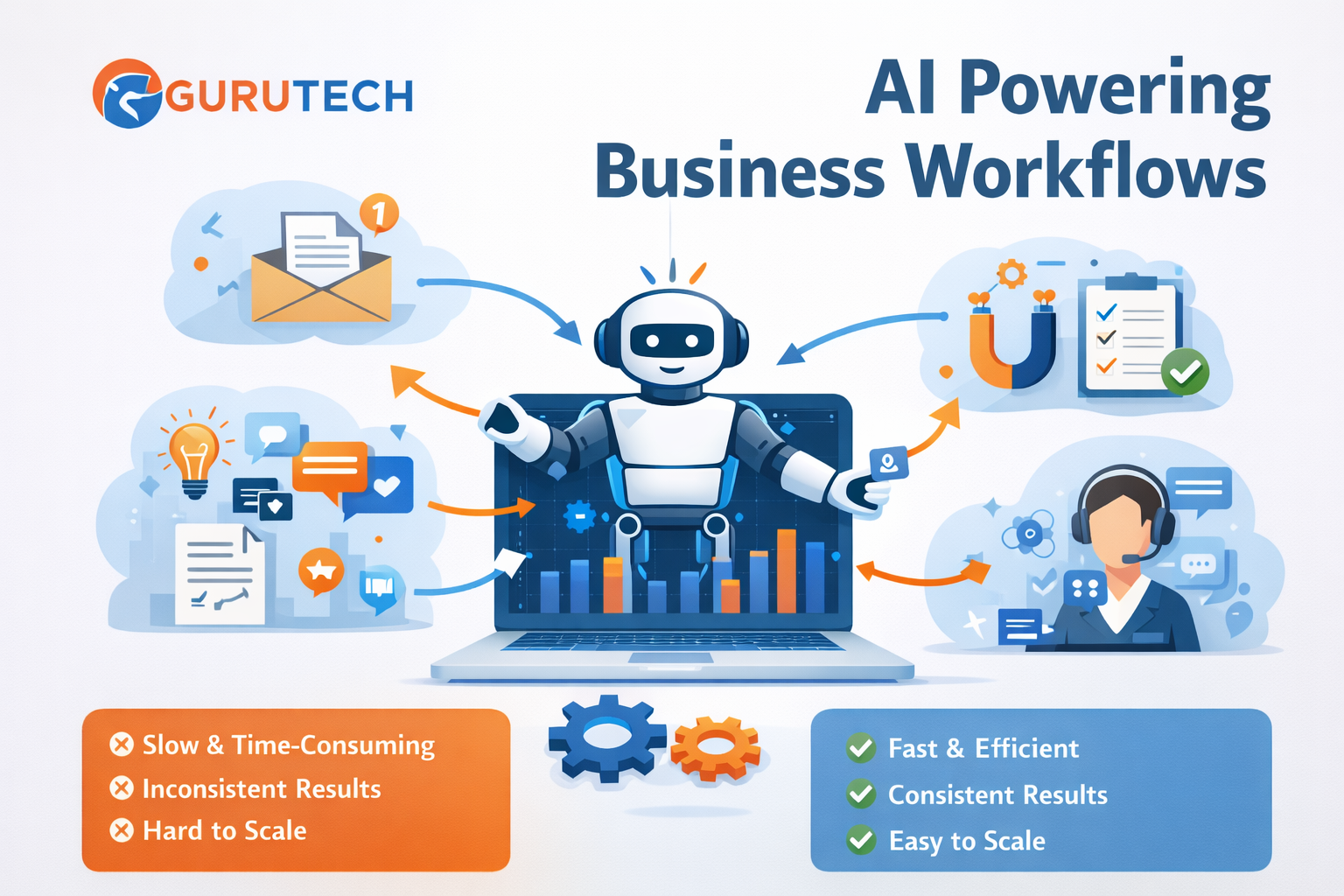
AI workflow examples for business are transforming how companies automate tasks, reduce manual work, and improve productivity in 2026. Instead of relying on repetitive processes, businesses are now using AI workflows to streamline operations and scale efficiently.Artificial intelligence is no longer just a tool for experimentation. In 2026, businesses are using AI to automate real workflows, reduce repetitive work, and significantly improve productivity.
However, one of the biggest challenges is not understanding what AI can do. It is knowing how to actually use it in daily work.
Many articles explain theory. Far fewer show real execution. This guide focuses on practical application. Instead of repeating broad workflow concepts, it shows real AI workflow examples that businesses and professionals can apply to save time and improve efficiency.
If you are new to the topic, it helps to first understand the fundamentals in our AI Productivity Workflows guide and our AI Workflows article.
What Makes a Good AI Workflow?
Before looking at examples, it is important to understand what makes a workflow effective. A good AI workflow is not just a random set of tools. It is a repeatable process that takes an input, applies a system, and produces a useful output.
Most effective workflows have three simple parts:
- Input: the starting point, such as a request, task, email, transcript, or document
- Processing: the AI tool or sequence of tools that performs the work
- Output: the final result, such as a report, draft, response, plan, or summary
The purpose of an AI workflow is not to remove people entirely. The purpose is to reduce repetitive manual effort, improve consistency, and free up time for more valuable work.
Strong workflows are usually simple, repeatable, and easy to improve over time. Weak workflows are often too complicated, unclear, or dependent on too many tools at once.
Manual Work vs AI Workflows
To understand the value of AI workflows, it helps to compare them with traditional manual work.
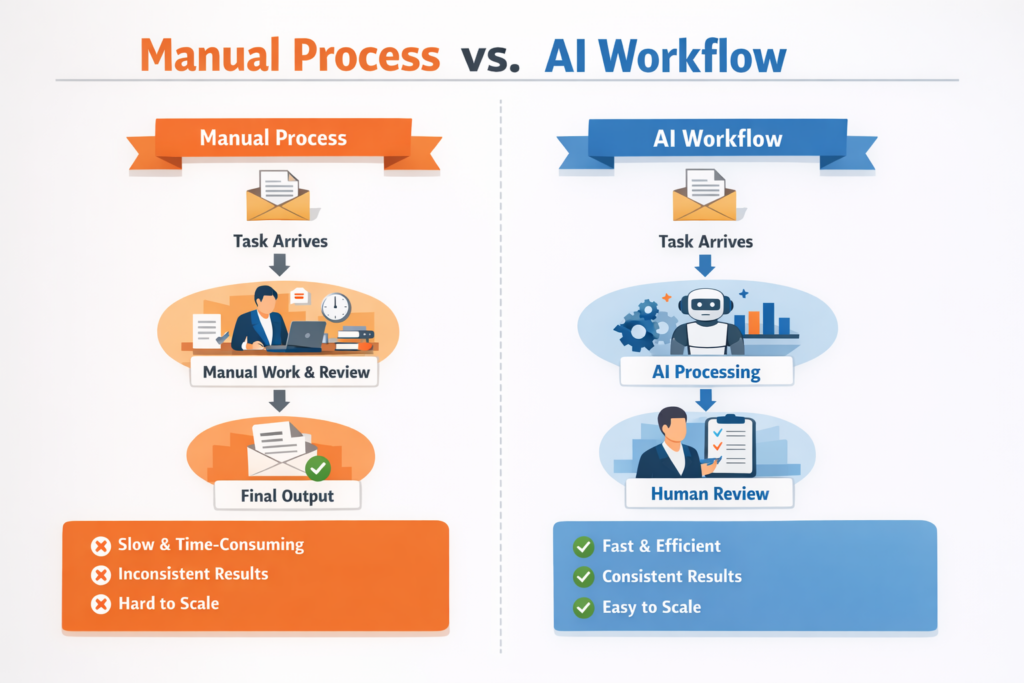
Manual Process:
- Task arrives
- Person reviews and processes everything manually
- Output is produced after multiple repetitive steps
AI Workflow:
- Task arrives
- AI assists with analysis, drafting, summarizing, or organizing
- Human reviews final output
- Faster and more consistent result
Manual work is often slower, harder to scale, and more inconsistent. AI workflows are usually faster, easier to repeat, and more efficient once the process is defined.
This shift is exactly why businesses are investing more heavily in workflow automation. Publications such as MIT Sloan Management Review and platforms like Zapier regularly highlight how AI-driven automation is changing productivity and operations.
10 AI Workflow Examples for Business You Can Use Today
1. Content Creation Workflow
Content creation is one of the most practical and valuable uses of AI. Instead of building every piece of content from scratch, businesses can use AI to speed up research, outlining, drafting, and editing.
Input: topic idea or keyword
Tools: ChatGPT or similar AI writing tools, editing tools, SEO tools
Example process:
- Generate several topic ideas from one core theme
- Create a structured outline with headings and subheadings
- Expand sections into a working draft
- Refine clarity, tone, and grammar
- Prepare final content for publication
Output: a complete blog post, landing page, email, or article draft
This workflow is useful for marketers, bloggers, agencies, and small business owners. It can dramatically reduce the time required to create content, especially when publishing regularly.
For more tool ideas, see our guides to the Best AI Tools for Productivity and Best AI Tools in 2026.
2. Email Automation Workflow
Email is one of the most repetitive business activities. Many messages follow familiar patterns, which makes them ideal candidates for AI assistance.
Input: incoming email
Tools: AI assistant, email platform
Example process:
- Review the incoming message
- Use AI to draft a professional response
- Adjust tone or details where necessary
- Send or save as a follow-up draft
Output: a polished response prepared in less time
This kind of workflow is especially useful for sales, support, administration, and client communication. It helps teams move faster without lowering quality.
If your work includes a lot of writing and response drafting, you may also want to review Best ChatGPT Prompts.
3. Customer Support Workflow
Customer support often involves answering similar questions repeatedly. AI can help automate first-line responses and support agents by handling routine requests more efficiently.
Input: customer inquiry
Tools: AI chatbot, help desk software, internal knowledge base
Example process:
- Identify the intent of the request
- Match the issue to a known answer or help article
- Generate a response automatically
- Escalate unusual cases to a human
Output: a fast, relevant customer response
This workflow can improve response times, reduce support backlog, and create a better customer experience. It is especially useful for small businesses that cannot afford large support teams.
For more small business use cases, see AI Tools for Small Business.
4. Lead Generation Workflow
Lead handling is another area where AI can create immediate efficiency. Businesses often spend too much time manually sorting leads, deciding which ones matter most, and writing follow-ups.
Input: new lead details from a form, CRM, or inquiry
Tools: CRM, AI assistant, email automation tool
Example process:
- Review incoming lead information
- Score or prioritize the lead based on business criteria
- Generate an appropriate follow-up email or message
- Assign the next action automatically
Output: organized lead pipeline with faster response time
This workflow helps businesses avoid missing opportunities and ensures that higher-quality leads are handled first.
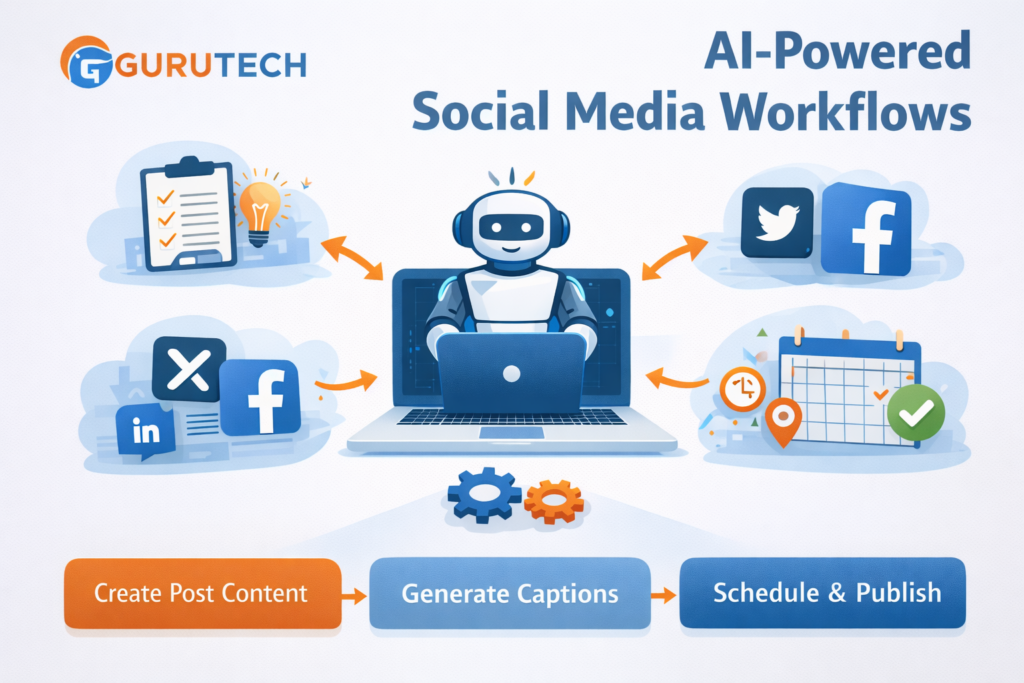
5. Social Media Workflow
Social media demands consistency, but consistency takes time. AI can reduce the effort involved in turning ideas into scheduled posts.
Input: campaign theme, product update, content idea, or article link
Tools: AI writing tool, design tool, scheduling platform
Example process:
- Generate multiple post angles from one topic
- Create captions for different platforms
- Adapt tone for LinkedIn, X, Facebook, or Instagram
- Schedule posts in advance
Output: planned and ready-to-publish social media content
This is one of the easiest workflows for businesses to implement because it saves time quickly and supports marketing consistency.
These examples can also be adapted for consulting workflows. See our full guide on AI workflows for consultants.
6. Meeting Summary Workflow
Meetings often create useful information, but that information is easily lost if nobody turns it into a clear summary. AI can process notes or transcripts and turn them into something actionable.
Input: meeting transcript, notes, or recording summary
Tools: transcription tool, AI summarizer, documentation tool
Example process:
- Collect notes or transcript
- Extract key discussion points
- Highlight decisions made
- Generate action items and next steps
Output: concise meeting summary with actionable follow-up
This workflow is valuable for managers, project teams, consultants, and operations staff. It keeps teams aligned and saves the time normally spent manually rewriting notes.
7. Research Workflow
Research is essential in business, but it can be slow and mentally draining. AI can speed up the process by helping collect, summarize, and organize information.
Input: topic, business question, trend, or research goal
Tools: AI research assistant, search tools, note organization platform
Example process:
- Define the research objective
- Collect relevant information from multiple sources
- Summarize the key findings
- Organize insights into a usable structure
Output: structured research summary or briefing
This workflow is useful for content strategy, competitive analysis, planning, and decision-making.
For a broader look at how professionals use these systems, see Best AI Tools for Professionals.
8. Reporting Workflow
Many teams spend valuable time creating repetitive reports. AI can help reduce manual formatting and speed up analysis.
Input: spreadsheet, dashboard export, or data set
Tools: AI analysis tool, spreadsheet software, reporting template
Example process:
- Review incoming data
- Identify trends, anomalies, or key takeaways
- Generate a written summary of insights
- Format the findings into a report structure
Output: faster business report creation
This kind of workflow is valuable in marketing, sales, finance, operations, and project management.
9. Task Management Workflow
Task management is another area where AI can reduce mental clutter. Many professionals know what needs to be done, but struggle to organize and prioritize effectively.
Input: to-do list, project items, or notes
Tools: AI productivity tool, planner, task manager
Example process:
- Review a list of pending tasks
- Prioritize by urgency, effort, or strategic value
- Group related tasks together
- Create a structured plan for the day or week
Output: clearer task organization and more focused work
This is one of the simplest workflows to implement and often one of the most useful for busy professionals.
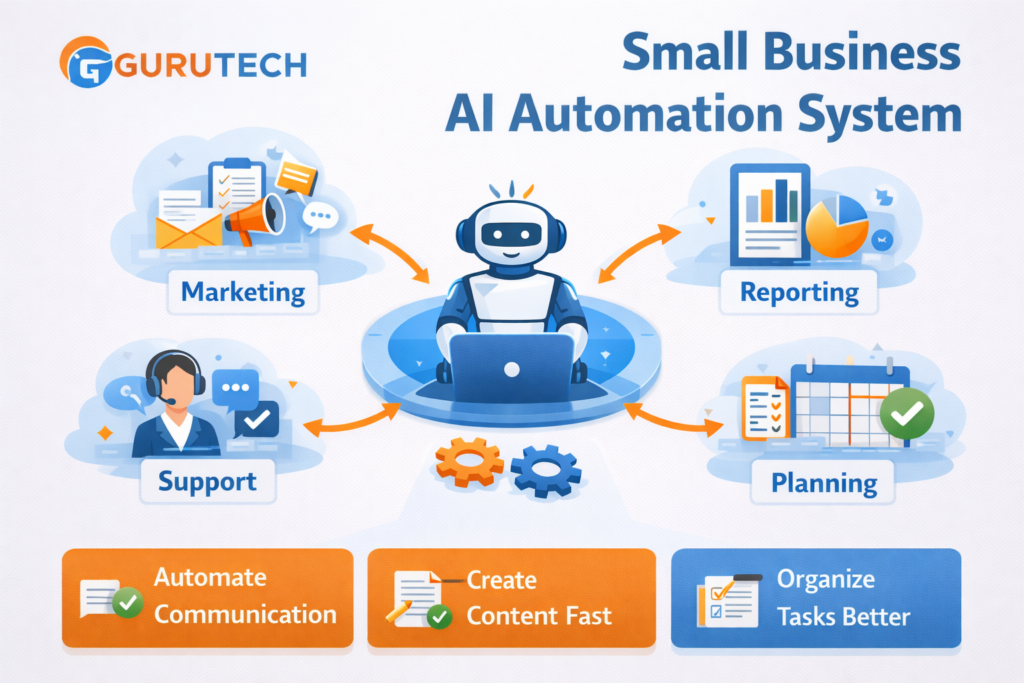
10. Small Business Automation Workflow
Small businesses often benefit the most from AI workflows because they operate with limited time, limited staff, and many responsibilities at once.
Rather than using only one workflow, small businesses can combine several into a simple productivity system.
Input: daily operations across marketing, support, communication, and administration
Tools: AI writing tool, automation platform, CRM, planning tool
Example process:
- Automate common customer communications
- Use AI to support content creation and marketing
- Generate summaries, notes, and reports faster
- Organize internal tasks and workflows more efficiently
Output: more streamlined business operations
This is where AI becomes more than a tool. It becomes a business productivity system.
You can explore more business-focused recommendations in Best AI Automation Tools for Business.
How to Choose the Right AI Workflow for Your Business
Not every workflow needs to be implemented at once. In fact, the best approach is usually to start with just one.
Ask yourself these questions:
- What task do I repeat most often?
- What task takes the most time each week?
- What task follows a clear, repeatable pattern?
- What task would create the biggest productivity gain if simplified?
The answers will usually reveal the best workflow to automate first. Starting with one focused process makes it easier to test, improve, and build confidence before expanding further.
If you want a more introductory approach, read AI Automate Daily Tasks.
Best Practices for AI Workflows
To get the best results from AI workflows, keep a few principles in mind.
- Start with a simple process before trying advanced automation
- Choose tools that solve a specific need instead of collecting too many tools
- Keep human review in the process when quality matters
- Document your workflow so it can be repeated and improved
- Refine prompts and steps over time for better results
AI workflows improve gradually. The biggest wins usually come from consistent small refinements rather than one perfect setup on day one.
Common Mistakes to Avoid
Businesses often struggle with AI adoption not because the tools are weak, but because the implementation is poor.
Common mistakes include:
- Trying to automate everything at once
- Using too many disconnected tools
- Relying on AI output without review
- Building workflows that are more complicated than the original task
- Ignoring the need for consistency and process documentation
The best approach is usually the simplest one. Start with one clear process, keep it manageable, and expand gradually.
The Future of AI Workflows in Business
AI workflows are still evolving. In the near future, businesses will likely rely on systems that are even more connected, proactive, and capable of handling more complex tasks.
We are already seeing movement toward:
- better integrations between tools
- smarter automation triggers
- more personalized AI outputs
- AI agents that can complete multi-step tasks
As these systems improve, businesses that already understand workflow thinking will be in the best position to benefit.
For a broader comparison of major AI platforms shaping this space, see ChatGPT vs Gemini vs Claude.
Frequently Asked Questions
What are AI workflow examples for business?
AI workflow examples for business are structured processes where AI tools automate tasks such as content creation, email responses, customer support, and reporting.
How do AI workflows improve productivity?
AI workflows reduce repetitive work, improve consistency, and allow businesses to scale operations without increasing workload.
What is the best AI workflow to start with?
The best workflow to start with is usually the most repetitive task, such as email handling or content creation.
Final Thoughts
AI workflows are one of the most practical ways businesses can improve productivity in 2026. They help reduce repetitive work, improve speed, and make day-to-day operations more efficient.
The key is not to start with complexity. The key is to start with one workflow that solves a real problem.
Whether that is content creation, email handling, customer support, lead follow-up, reporting, or task organization, the principle is the same: define the process, use AI where it adds value, and improve the workflow over time.
Once that becomes part of how you work, AI stops being just a tool and starts becoming a real productivity system.
For more practical strategy, you can continue with our AI Workflows, AI Productivity Workflows, and Best AI Tools for Productivity guides.