

ChatGPT vs Gemini vs Claude: Which AI Tool Is Best for You?
Choosing the right AI assistant can make a real difference in how you work, write, research, plan, and automate daily tasks. ChatGPT, Gemini, and Claude are three of the most popular AI tools available today, but they are not identical. Each one has different strengths, different weaknesses, and different types of users it serves best.
If you are using AI for productivity, content creation, business planning, research, coding, or document analysis, it is important to understand how these tools compare in practical situations. The best AI assistant is not always the one with the most features. It is the one that fits your workflow, saves you time, and gives you reliable results with the least amount of friction.
In this guide, we will compare ChatGPT vs Gemini vs Claude in a practical way. Instead of focusing only on technical details, we will look at how each tool performs for everyday users, professionals, creators, students, and small business owners. By the end, you should have a clear idea of which AI assistant is best for your needs and when it may make sense to use more than one.

Quick Comparison: ChatGPT vs Gemini vs Claude
| Feature | ChatGPT | Gemini | Claude |
|---|---|---|---|
| Best For | Everyday productivity, writing, coding, brainstorming | Research, Google ecosystem, current information | Long documents, analysis, structured writing |
| Main Strength | Versatility and ease of use | Research and Google integration | Depth, clarity, and long-form reasoning |
| Writing Style | Flexible and conversational | Useful but sometimes less polished | Clear, structured, and professional |
| Research Ability | Strong, depending on access and setup | Very strong for web-connected tasks | Strong for analyzing supplied documents |
| Best User | Most general users | Google users and researchers | Writers, analysts, and professionals handling long content |
Pricing Comparison (Estimated as of 2026)
| Feature | ChatGPT | Gemini | Claude |
|---|---|---|---|
| Free Plan | Yes | Yes | Yes |
| Paid Plan (Starting Price) | ~$20/month (Plus) | ~$20/month (Advanced) | ~$20/month (Pro) |
| Best Value For | General use, writing, coding | Google ecosystem users | Long-form writing & analysis |
| Who Should Upgrade? | Frequent users, creators, developers | Heavy Google Workspace users | Writers, analysts, professionals |
Note: Pricing is estimated as of 2026 and may vary by region, plan updates, or promotions. Always check official websites for the most current pricing.
These AI models are often used in consulting workflows. See how they fit into real systems in our guide on AI workflows for consultants.
What Makes These AI Tools Different?
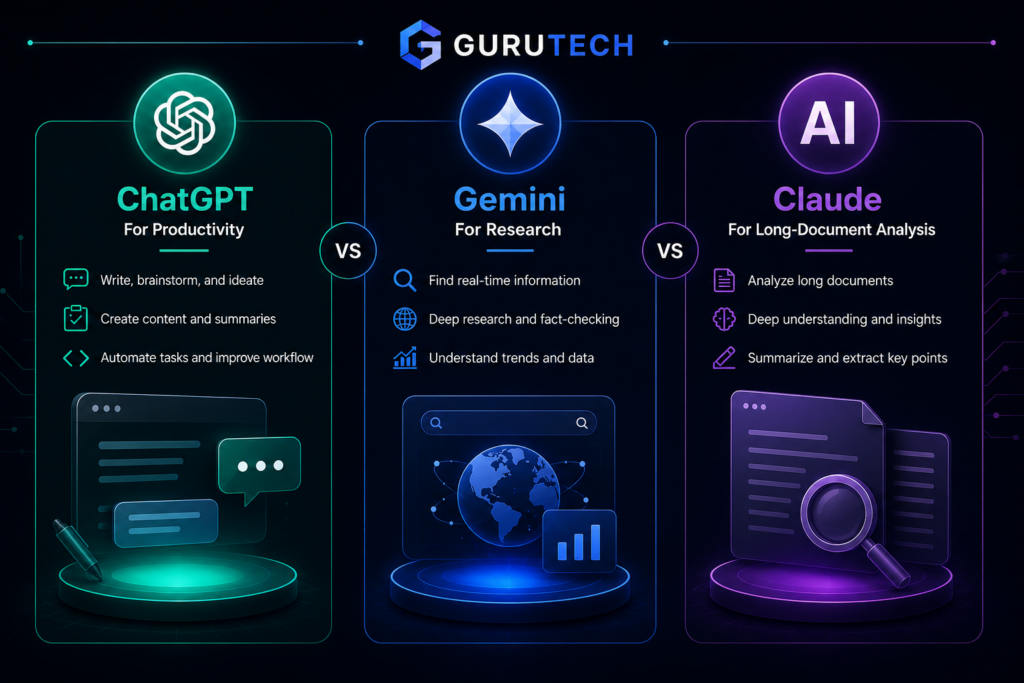
At first glance, ChatGPT, Gemini, and Claude may seem similar. You type a question, ask for help, and get a response. However, once you use them for real work, the differences become clear. ChatGPT is often the most flexible all-around assistant. Gemini is useful when you want research support and connection with Google tools. Claude is especially strong when working with longer text, detailed analysis, and careful writing.
The mistake many people make is trying to pick one “perfect” AI tool. In reality, each tool is better for different kinds of tasks. If you only write short emails and brainstorm ideas, ChatGPT may be enough. If you research current information or work inside Google Workspace, Gemini may be useful. If you analyze long documents, reports, or complex text, Claude may feel more natural.
For a site like GuruTech, the more useful question is not “which AI is the smartest?” The better question is: “Which AI assistant helps me complete a specific workflow faster and better?” That is how you should evaluate these tools.
ChatGPT Overview
ChatGPT is one of the most widely used AI assistants because it is easy to use, flexible, and useful for many different tasks. It can help with writing, editing, brainstorming, coding, planning, summarizing, and productivity workflows. For many users, ChatGPT is the best starting point because it handles a wide range of requests without requiring a complicated setup.
One of ChatGPT’s biggest strengths is how naturally it fits into everyday work. You can ask it to draft an email, summarize a topic, explain a technical idea, create a content outline, improve a paragraph, generate a checklist, or help you plan a project. It is especially useful for people who want one AI assistant that can do many things reasonably well.
ChatGPT is also strong for creative and strategic work. If you need ideas for blog posts, product names, workflows, scripts, headlines, prompts, or business plans, it can quickly generate options. It is not perfect, but it is often very good at helping users move past a blank page.
Where ChatGPT Performs Best
ChatGPT performs especially well in tasks that require flexibility. It is useful for writing content, rewriting text, building outlines, explaining difficult topics, creating examples, generating prompts, and helping with coding tasks. For professionals, it can act like a writing assistant, research helper, brainstorming partner, and productivity coach in one place.
It is also one of the best tools for people who are new to AI. The interface is simple, the responses are usually easy to understand, and the tool can adapt to many different writing styles. This makes it a strong choice for entrepreneurs, freelancers, students, marketers, small business owners, and everyday professionals.
ChatGPT Pros
- Very easy to use for beginners
- Strong for writing, rewriting, and brainstorming
- Useful for coding and technical explanations
- Flexible enough for many different industries
- Good for productivity workflows and templates
- Strong ecosystem and integrations
ChatGPT Cons
- Can sometimes provide incorrect or outdated information
- May sound too polished or generic if not guided properly
- Best results often require good prompting
- Some advanced features may require a paid plan
Overall, ChatGPT is the best choice for most people who want one reliable AI assistant for everyday work. It may not be the best at every single task, but it is one of the strongest all-around options.
Gemini Overview
Gemini is Google’s AI assistant, and its biggest advantage is its connection to the Google ecosystem. If your work depends heavily on Google Search, Google Docs, Gmail, YouTube, Sheets, or other Google tools, Gemini can be very useful. It is especially strong for research-focused tasks and information discovery.
Gemini is a good choice when you need help finding information, comparing sources, summarizing web-based topics, or working with content connected to Google services. For users who already spend most of their workday inside Google Workspace, Gemini may feel like a natural extension of their existing workflow.
One area where Gemini stands out is research support. It can be helpful when you need to understand a topic quickly, gather background information, organize findings, or create structured summaries. While you should still verify important facts, Gemini can be a useful assistant when working with current or search-driven information.
Where Gemini Performs Best
Gemini performs best when the task involves research, current information, or Google-based workflows. For example, if you are researching market trends, summarizing information, comparing tools, or working inside Google Docs and Sheets, Gemini can provide a useful productivity boost.
It is also useful for users who want AI support without leaving the Google environment. If you already use Gmail, Docs, Drive, and Sheets every day, Gemini may reduce the need to copy and paste information between tools.
Gemini Pros
- Strong connection with Google tools
- Useful for research and current information
- Good for summarizing sources and organizing findings
- Helpful for Google Workspace users
- Strong with structured outputs like tables and comparisons
Gemini Cons
- Writing can feel less natural than ChatGPT or Claude
- May be inconsistent depending on the task
- Can be cautious in some responses
- Not always the best option for creative writing
Gemini is best for users who care most about research, Google integration, and information-based workflows. It may not always be the smoothest writing assistant, but it can be very helpful when your work depends on finding, organizing, and using information efficiently.
Claude Overview
Claude, created by Anthropic, is known for careful reasoning, long-form writing, and document analysis. Many users like Claude because its writing style often feels clear, balanced, and professional. It is especially useful when you are working with long documents, detailed reports, complex ideas, or content that needs careful structure.
Claude is a strong option for people who need depth rather than speed. If you are summarizing a long PDF, reviewing a strategy document, editing a detailed article, or analyzing a complex topic, Claude can be very effective. It often provides thoughtful responses that feel less rushed and more organized.
Claude is also useful for professionals who want a more polished tone. It can help rewrite content so it sounds clearer, more measured, and more professional. This makes it valuable for business writing, reports, proposals, long-form articles, and analysis-heavy content.
Where Claude Performs Best
Claude performs best with longer and more complex inputs. If you paste a long article, document, transcript, or report, Claude is often very good at summarizing it, identifying key points, and organizing the information into a clearer format. It is also strong when you need careful editing rather than quick idea generation.
For writers and analysts, Claude can be especially useful. It helps improve structure, remove confusion, and make text easier to follow. While ChatGPT may be better for fast ideation, Claude is often better for refining longer pieces of work.
Claude Pros
- Excellent for long documents and detailed analysis
- Strong writing clarity and professional tone
- Good for summaries and structured thinking
- Useful for editing and rewriting long content
- Often feels careful and balanced
Claude Cons
- Not always as creative as ChatGPT
- May feel slower for some workflows
- Less ideal for real-time research
- May not be the best first choice for quick everyday tasks
Claude is best for users who work with long documents, detailed writing, analysis, or professional communication. If your main priority is clarity and depth, Claude is a very strong choice.
ChatGPT vs Gemini vs Claude for Writing
For writing, ChatGPT and Claude are usually the strongest choices. ChatGPT is better for creative writing, flexible tone, quick drafts, headlines, outlines, and brainstorming. Claude is better for polished long-form writing, professional tone, and structured editing.
If you are writing blog posts, emails, social media content, scripts, or marketing copy, ChatGPT is often the easiest place to start. It can produce many variations quickly and adapt to different styles. However, you may need to edit the output to make it feel more specific and less generic.
Claude is useful when you already have a draft and want to improve it. It can make writing clearer, smoother, and more organized. If you are working on a long report, professional article, or complex explanation, Claude may provide a cleaner final result.
Gemini can also help with writing, but it is usually stronger when the writing depends on research. For example, if you need to summarize current information before writing, Gemini can be helpful. But for pure writing quality, ChatGPT and Claude are usually better choices.
ChatGPT vs Gemini vs Claude for Research
For research, Gemini has a clear advantage when the task involves current information or Google-connected workflows. It is useful for gathering background, comparing sources, summarizing topics, and organizing research into tables or outlines.
ChatGPT can also support research, especially when you need explanations, summaries, or help forming a research plan. However, users should verify factual claims, especially when dealing with current events, statistics, pricing, software features, or fast-changing topics.
Claude is useful for research when you already have the documents or material. For example, if you upload or paste a report, article, or transcript, Claude can analyze it deeply. It is less about finding information and more about understanding and organizing the information you provide.
ChatGPT vs Gemini vs Claude for Coding
For coding, ChatGPT is often the strongest general-purpose option. It can help explain code, debug issues, generate functions, write scripts, review logic, and suggest improvements. Developers and technical users often benefit from ChatGPT because it can move between explanation, code generation, and troubleshooting smoothly.
Gemini can also help with coding, especially when connected to Google’s development ecosystem. It may be useful for documentation, examples, and certain technical tasks. Claude can also help explain and review code, especially when the codebase or problem description is long.
For most users, ChatGPT is the best starting point for coding help. Claude can be a useful second tool for reviewing longer technical explanations, while Gemini can be helpful when research or documentation is involved.
ChatGPT vs Gemini vs Claude for Productivity
For everyday productivity, ChatGPT is usually the best all-around choice. It can help create checklists, draft emails, summarize notes, plan projects, generate meeting agendas, organize ideas, and build repeatable workflows.
Gemini is strong when your productivity system is built around Google tools. If you use Gmail, Docs, Sheets, and Drive, Gemini may fit naturally into your daily workflow. Claude is helpful when productivity involves reading, analyzing, or rewriting longer documents.
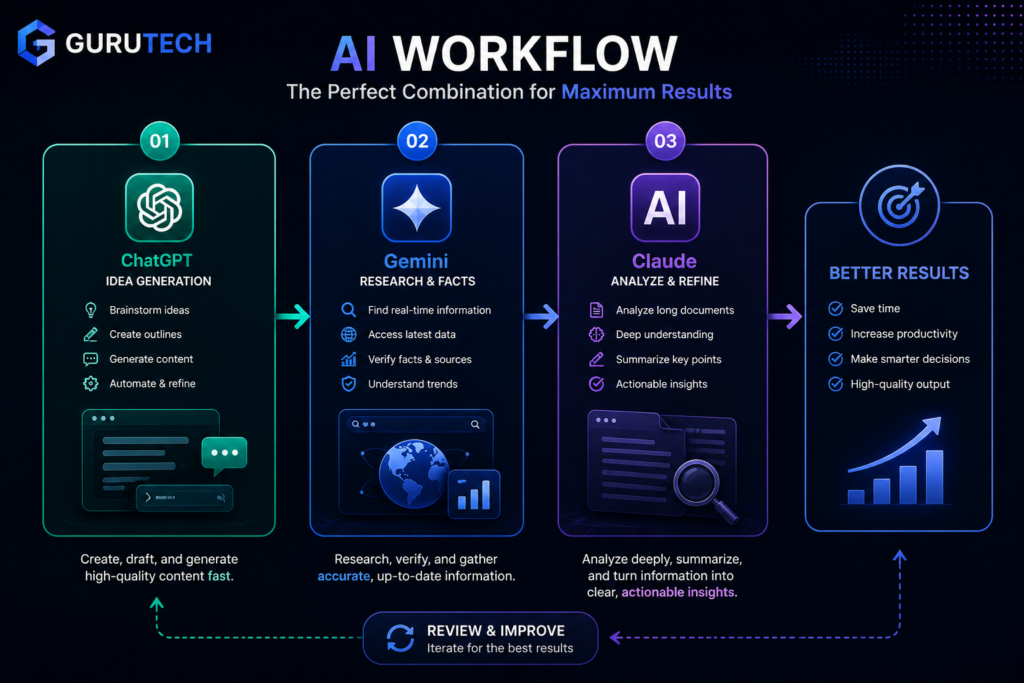
The best productivity setup may involve more than one AI assistant. For example, you could use ChatGPT to plan your day, Gemini to research a topic, and Claude to summarize a long document. This type of combined workflow can save more time than using only one tool.
Which AI Assistant Should You Choose?
Choose ChatGPT if:
- You want one AI assistant for most tasks
- You need help with writing, brainstorming, coding, or productivity
- You are new to AI and want something easy to use
- You want flexible prompts and quick results
- You want to build practical AI workflows
Choose Gemini if:
- You rely heavily on Google tools
- You need help with research and current information
- You want AI support inside Google Workspace
- You often compare sources, summarize web content, or organize facts
Choose Claude if:
- You work with long documents
- You need careful analysis and summaries
- You want polished professional writing
- You prefer structured, thoughtful responses
- You need help editing reports, articles, or detailed content
Should You Use More Than One AI Tool?
Yes. In many cases, the best answer is not choosing only one tool. Many professionals get better results by combining AI assistants based on the task.
A practical workflow could look like this:
- ChatGPT: Generate ideas, outlines, drafts, prompts, and workflows
- Gemini: Research current information and check facts
- Claude: Refine long-form writing and analyze documents
This approach gives you the strengths of each platform. Instead of forcing one tool to do everything, you use the right assistant for the right step. That is often where the biggest productivity gains happen.
For example, if you are writing a detailed article, you could use ChatGPT to build the outline, Gemini to research current examples, and Claude to refine the final draft. This creates a stronger workflow than relying on one AI assistant alone.
Common Mistakes When Comparing AI Tools
1. Looking only at model names
Many users focus too much on which model is newest or most advanced. While the model matters, the workflow matters more. A powerful AI tool used poorly will not produce better results than a simpler tool used strategically.
2. Publishing AI output without editing
This is especially important for content creators. AI-generated writing often needs human refinement. You should improve structure, add examples, include internal links, and make the content fit your brand voice.
3. Using one AI tool for every task
ChatGPT, Gemini, and Claude each have strengths. Using only one tool for everything may limit your results. A better approach is to match the tool to the task.
4. Ignoring internal workflows
The real productivity gain from AI does not come from asking random questions. It comes from building repeatable workflows. For example, you can create a repeatable content workflow, research workflow, email workflow, or planning workflow.
If you want to build better systems, read our guide on AI workflows and how they can save professionals hours every week.
Best Overall AI Tool
If you want one tool that works well for most people, ChatGPT is the best overall choice. It is easy to use, flexible, strong for writing, useful for coding, and effective for daily productivity. It may not be perfect at every task, but it performs well across many categories.
Gemini is the better choice if your work depends heavily on research and Google tools. Claude is the better choice if you work with long documents, detailed analysis, and polished professional writing.
The best long-term strategy is to start with one tool, learn how to use it well, and then add another tool when your workflow becomes more advanced.
Final Recommendation
There is no single AI assistant that is best for everyone. ChatGPT, Gemini, and Claude are all powerful tools, but they serve different needs.
For most users, ChatGPT is the best first choice because it is versatile, beginner-friendly, and useful for a wide range of productivity tasks. If your work depends on research, Gemini is a strong addition. If you handle long documents or need careful analysis, Claude is an excellent choice.
The smartest approach is to think in terms of workflows rather than tools. Use ChatGPT for everyday productivity, Gemini for research, and Claude for deep analysis. When combined properly, these tools can help you work faster, write better, and make better decisions.
If you are just getting started, begin with ChatGPT and test it on simple tasks like writing emails, summarizing notes, creating outlines, or brainstorming ideas. Once you understand how AI fits into your work, you can add Gemini or Claude where they provide the most value.
To get practical results faster, start with our guide to ChatGPT prompts that save time. You can also explore our full guide to the best AI tools if you want to compare more options beyond ChatGPT, Gemini, and Claude.
FAQ: ChatGPT vs Gemini vs Claude
What is the best AI tool overall?
ChatGPT is the best overall AI tool for most users because it is flexible, easy to use, and strong across writing, productivity, brainstorming, coding, and everyday tasks.
Which AI tool is best for research?
Gemini is often the best option for research because it connects closely with Google tools and is useful for current information, source summaries, and research-heavy workflows.
Which AI tool is best for long documents?
Claude is one of the best options for long documents, detailed summaries, and structured analysis. It is especially useful for reports, PDFs, transcripts, and long-form writing.
Which AI tool is best for writing?
ChatGPT is best for flexible writing and creative drafts, while Claude is excellent for polished, professional, and long-form writing. The best choice depends on the type of writing you need.
Should I use ChatGPT, Gemini, and Claude together?
Yes. Many users get better results by combining them. ChatGPT can help with drafting and ideas, Gemini can support research, and Claude can refine long-form content or analyze documents.
Is ChatGPT better than Gemini?
ChatGPT is usually better for general productivity, writing, coding, and brainstorming. Gemini may be better for research and Google-connected workflows.
Is Claude better than ChatGPT?
Claude can be better for long documents, careful analysis, and professional writing. ChatGPT is usually better as a general-purpose assistant for daily use.
Which AI tool should beginners start with?
Most beginners should start with ChatGPT because it is easy to use, flexible, and helpful for many different tasks without needing a complex setup.