
Artificial intelligence is no longer just a writing assistant or chatbot. In 2026, businesses are using AI automation tools to handle repetitive work, connect apps, speed up decision-making, and reduce manual effort across marketing, sales, support, operations, and reporting.
The biggest advantage does not come from using AI once in a while. It comes from building systems that can repeat useful tasks consistently. That is why AI automation is becoming one of the most practical ways for businesses to improve productivity without hiring additional staff for every new process.
Whether you run a small business, work as a consultant, manage a team, or simply want to streamline daily work, the right platform can save hours every week. If you are still building your foundation, start with this guide to AI workflows to understand how structured automation systems work.
What Are AI Automation Tools?
AI automation tools are platforms that combine workflow automation with artificial intelligence features such as text generation, summarization, classification, routing, extraction, recommendations, and agent-based decision-making. Instead of simply moving data from one app to another, these tools can now interpret information and decide what happens next.
For example, a business can use AI automation to:
- summarize new leads and send a daily report
- classify customer emails and route them to the right person
- extract information from documents and push it into a CRM
- generate draft responses for support or sales teams
- create content workflows for blogs, newsletters, or social media
- monitor forms, spreadsheets, and inboxes without manual review
If your goal is to start small, this article on how to automate daily tasks with AI is a good companion to this guide.
Why AI Automation Matters for Business
Most businesses do not lose time because of one big problem. They lose time because of hundreds of small repetitive tasks. Copying data between apps, checking email, updating spreadsheets, assigning leads, formatting reports, and repeating the same communication patterns all create hidden operational drag.
AI automation tools help by turning multi-step business processes into repeatable systems. That means less manual work, fewer missed steps, and more consistent output. For small businesses especially, this can create a meaningful advantage because a lean team can accomplish far more with the right setup.
Businesses exploring software in this area should also review AI tools for small business and best AI tools for productivity to see how these platforms fit into a broader AI stack.
Best AI Automation Tools for Business in 2026
1. Zapier
Zapier remains one of the most accessible automation platforms for businesses that want to connect apps quickly without coding. It is especially useful for teams that want fast setup, broad integrations, and practical AI features built directly into workflows.
Zapier is a strong choice for businesses that use tools like Gmail, Slack, Google Sheets, HubSpot, Notion, Airtable, and other mainstream SaaS platforms. It works well for lead routing, notifications, content workflows, customer communication, and general app-to-app automation.
Best for: small businesses, marketers, consultants, and teams that want the easiest path to automation.
Example use case: when a lead fills out a form, Zapier can enrich the lead, summarize the details with AI, create a CRM record, notify the sales team in Slack, and generate a follow-up email draft.
External reference: Zapier official site
2. Make
Make is a visually powerful platform designed for more advanced workflow design. It gives users greater flexibility to build complex automations with branching logic, data transformations, and multi-step scenarios. Its visual builder is one of the biggest reasons many users prefer it over simpler platforms.
Make is especially attractive for businesses that want more control over process logic while still using a no-code or low-code interface. Its newer AI agent capabilities also make it more relevant for businesses exploring agentic workflows in 2026.
Best for: businesses that want visual workflow control and more advanced scenario building.
Example use case: a marketing team can monitor form submissions, qualify incoming leads, enrich contact data, create tasks, send AI-assisted summaries, and update dashboards automatically.
External reference: Make official site
3. Microsoft Power Automate
Microsoft Power Automate is a serious option for businesses that already work inside the Microsoft ecosystem. It supports cloud flows, desktop flows, robotic process automation, and AI-powered automation capabilities. For organizations using Microsoft 365, Teams, Outlook, SharePoint, and related tools, Power Automate can be a natural fit.
One of its strengths is enterprise process automation. It is often better suited to internal business operations than lightweight marketing-focused workflows. Businesses with structured approval systems, document-heavy tasks, or legacy software may find it particularly useful.
Best for: businesses invested in Microsoft tools and teams that need workflow automation tied to internal systems.
Example use case: automate invoice approvals, document processing, internal notifications, and repetitive desktop tasks across structured enterprise processes.
External reference: Microsoft Power Automate
4. n8n
n8n has become one of the most interesting AI automation platforms for technical users and businesses that want more control. It combines workflow automation with AI capabilities and is especially attractive for teams that want flexibility, deeper customization, or self-hosting options.
Compared with more beginner-friendly tools, n8n tends to appeal more to technical founders, operations teams, developers, and advanced builders. It is a strong option when businesses want automation that goes beyond simple SaaS connections and into customized internal workflows.
Best for: technical teams, advanced users, and businesses that want greater control over AI workflows.
Example use case: build a custom AI support assistant that reads support requests, classifies them, triggers internal tools, and logs the full process for review.
External reference: n8n official site
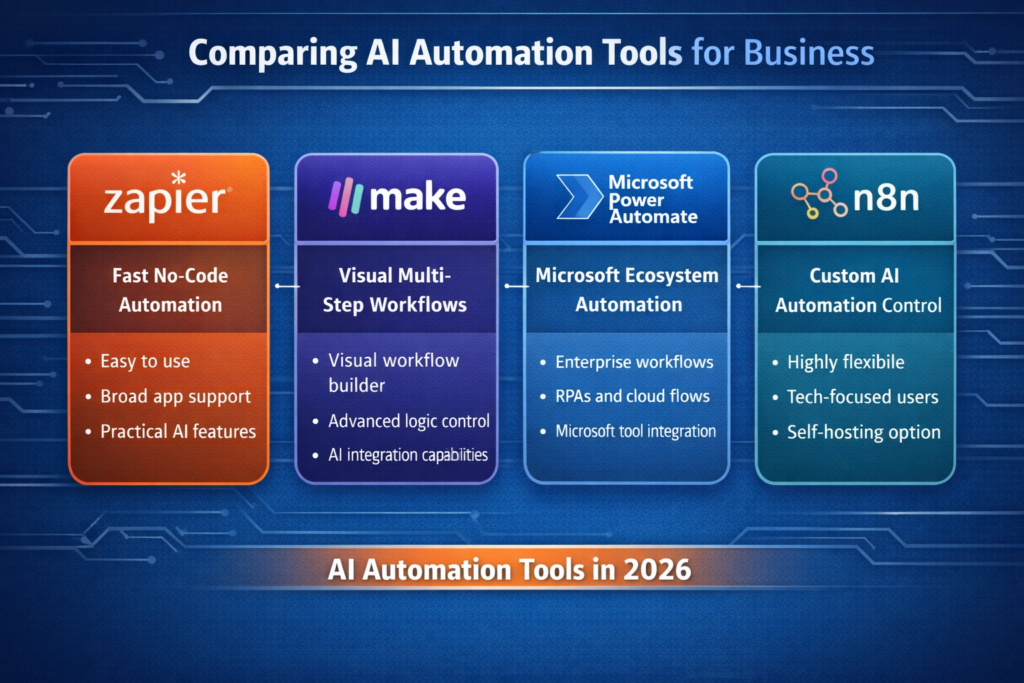
Quick Comparison Table
| Tool | Best For | Ease of Use | Flexibility | Ideal Business Type |
|---|---|---|---|---|
| Zapier | Fast no-code automation | Very high | Medium | Small businesses, consultants, marketing teams |
| Make | Visual multi-step workflows | High | High | Growing businesses, operations, marketing teams |
| Microsoft Power Automate | Microsoft ecosystem and internal processes | Medium | High | Microsoft-centered businesses, enterprise workflows |
| n8n | Technical customization and control | Medium | Very high | Technical teams, advanced builders, custom operations |
How to Choose the Right AI Automation Tool
The best platform depends less on popularity and more on fit. Businesses should choose based on workflow complexity, existing software stack, team skill level, and the type of tasks they want to automate.
- Choose Zapier if you want the easiest setup and broad app support.
- Choose Make if you want more advanced visual logic and scenario control.
- Choose Power Automate if your business already runs heavily on Microsoft tools.
- Choose n8n if you want flexibility, deeper technical control, or custom AI workflows.
For readers comparing broader AI software categories, this roundup of the best AI tools in 2026 provides a wider view beyond pure automation.
Best Use Cases for AI Automation in Business
Lead Management
AI automation can capture incoming leads, qualify them, summarize context, assign them to a rep, and trigger follow-up steps. This reduces response time and keeps leads from slipping through the cracks.
Email and Communication
Businesses can automate inbox triage, draft replies, summarize threads, and notify team members when action is required. This is especially useful for shared inboxes and support environments.
Content and Marketing
Marketing teams can automate research gathering, content briefs, social repurposing, newsletter workflows, and distribution steps. To strengthen this area further, your business can also use these best ChatGPT prompts within automation workflows.
Reporting and Operations
AI can collect data from multiple tools, summarize it, format reports, and send scheduled updates. This reduces repetitive reporting work and improves visibility for managers.
Document Processing
Businesses handling forms, invoices, contracts, and submitted files can use AI automation to extract relevant details and send them into a spreadsheet, CRM, or internal system for review.
AI Automation Trends in 2026
AI automation is evolving quickly. In 2026, several trends are shaping how businesses use these tools.
- AI agents: tools are moving from simple automation to systems that can make decisions based on context
- multi-step workflows: businesses are connecting multiple tools into unified systems instead of isolated automations
- natural language automation: workflows can now be built using simple instructions instead of complex setup
- integration with existing tools: AI is being embedded directly into platforms like CRMs, email systems, and project tools
These trends show that AI automation is shifting from optional efficiency to a core business capability.
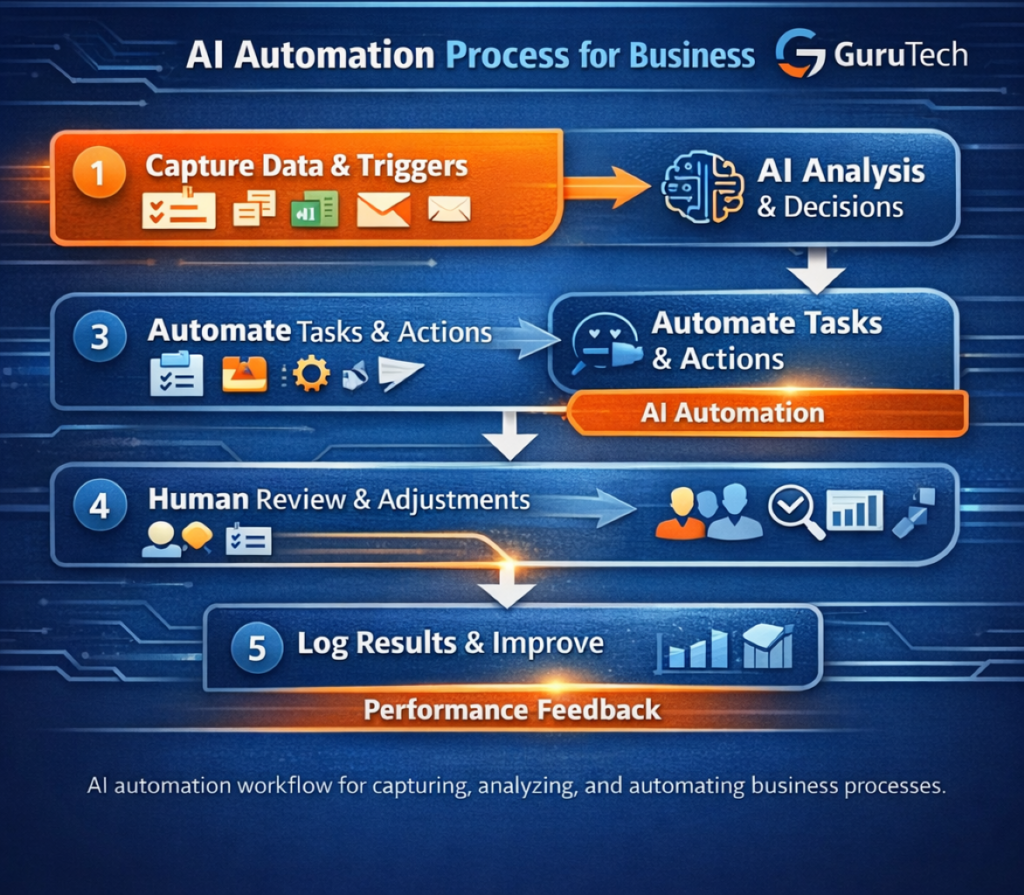
Many of these tools are used by consultants to streamline their processes. Learn how in our guide on AI workflows for consultants.
Common Mistakes to Avoid
Many businesses fail with automation not because the tools are weak, but because the process design is weak. Here are the most common mistakes:
- trying to automate a broken process before simplifying it
- building too much too early instead of starting with one useful workflow
- choosing a platform that does not match team skill level
- ignoring error handling and human review steps
- assuming AI output should run without oversight in sensitive workflows
A better approach is to start with one clear business problem, automate it well, then expand. This article on AI productivity workflows can help frame that process in a practical way.
When Not to Use AI Automation
While AI automation can be powerful, it is not always the right solution for every task.
- when processes are unclear or constantly changing
- when human judgment is critical (legal, financial approvals)
- when data quality is inconsistent
Automation works best when applied to structured, repeatable processes. Starting with a clear workflow is always more effective than trying to automate everything at once.
Should Small Businesses Use AI Automation?
Yes, but with focus. Small businesses often benefit more from automation than larger organizations because each hour saved has a larger operational impact. The key is not to build a giant system on day one. Instead, automate one area that consumes time every week.
Good first workflows include:
- lead capture and follow-up
- appointment confirmations
- internal reporting summaries
- social content repurposing
- customer inquiry routing
For a broader look at business-focused software, see AI tools for small business.
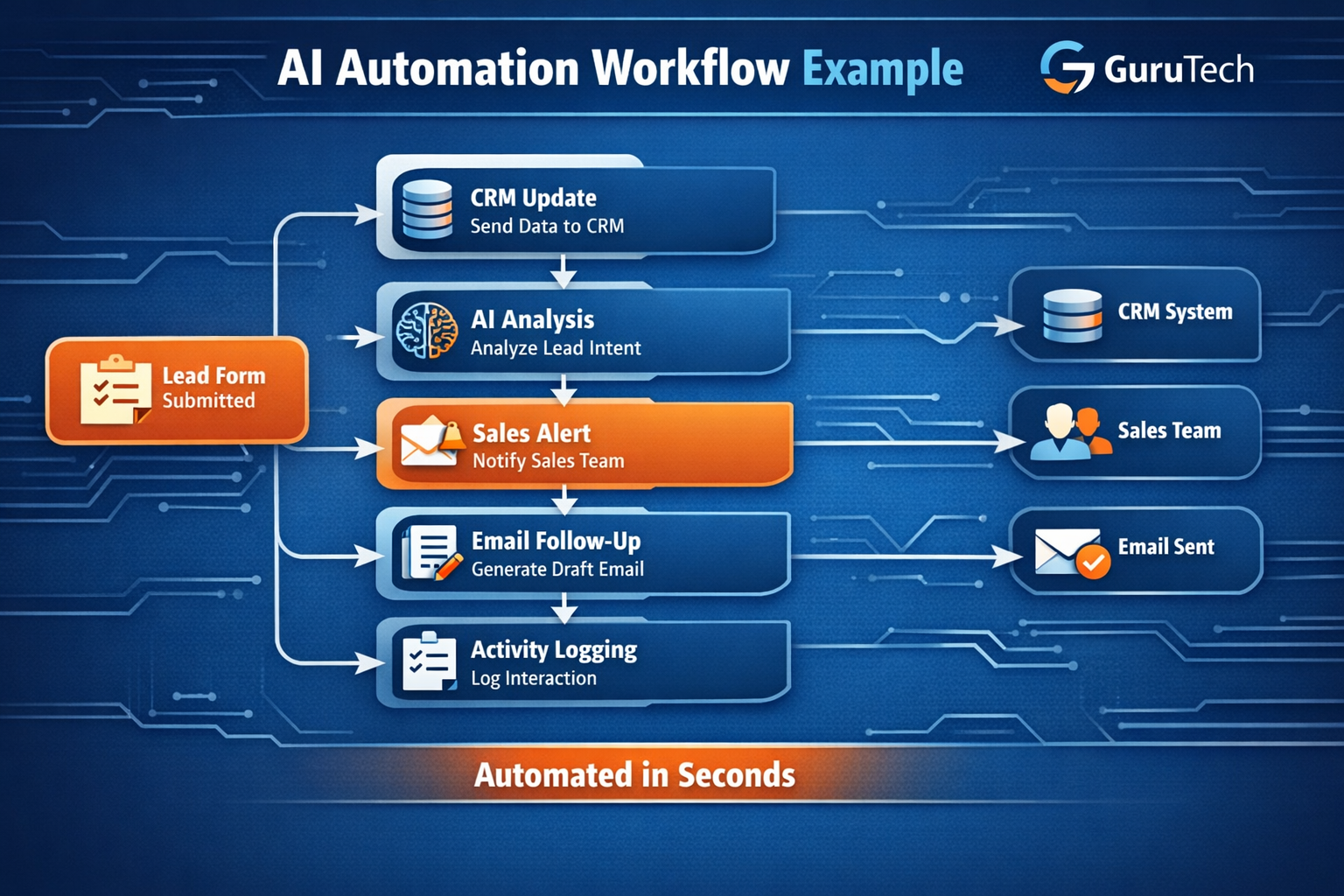
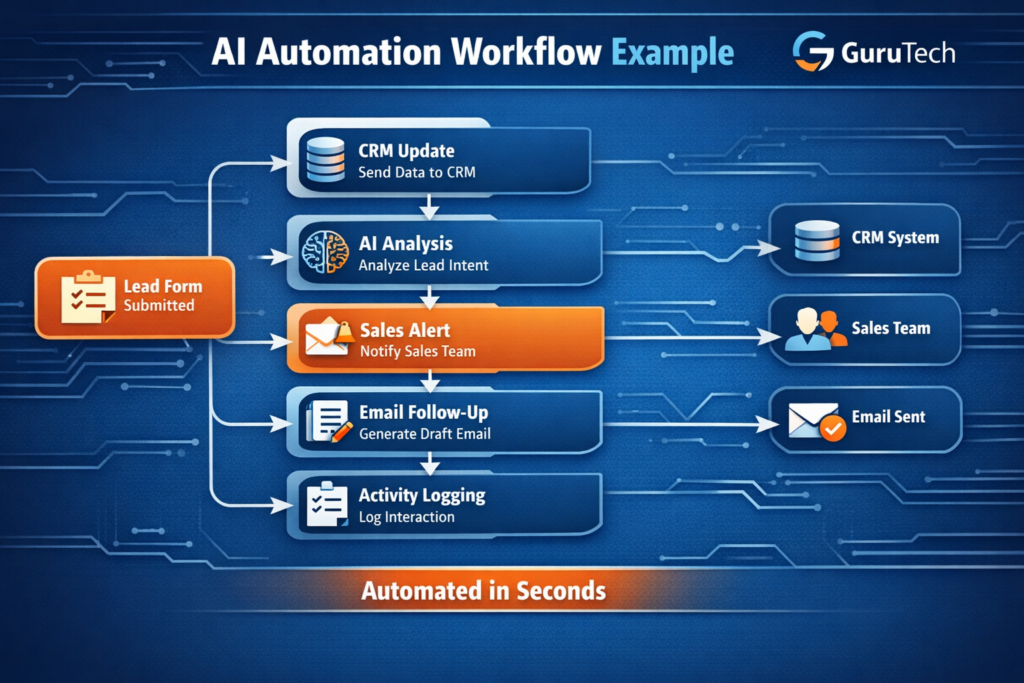
Real Example of an AI Automation Workflow
To better understand how these tools work together, consider a simple but powerful business workflow.
A potential customer fills out a form on your website. Instead of manually checking submissions, an automation platform like Zapier or Make can instantly trigger a sequence of actions.
- The form data is captured and sent to a CRM
- An AI model summarizes the lead and identifies key intent
- A notification is sent to the sales team with context
- A personalized follow-up email draft is generated
- The interaction is logged for future tracking
This entire process can happen in seconds without manual intervention. Over time, multiple workflows like this can be combined into a complete system. If you want to understand how to design these systems, see this guide on AI workflows.
Final Thoughts
The best AI automation tools for business in 2026 are not just about speed. They are about building reliable systems that reduce repetitive work, improve consistency, and help teams focus on higher-value decisions.
Zapier is still one of the easiest places to start. Make offers powerful visual flexibility. Microsoft Power Automate is strong for structured internal workflows, especially in Microsoft-centered environments. n8n stands out for advanced users who want more control and customization.
The right choice depends on your business model, software stack, and technical comfort level. But the overall direction is clear: businesses that learn to automate repetitive tasks with AI will operate faster and more efficiently than those that continue to rely on manual processes alone.
If you want to go deeper, this guide on AI workflows explains how to structure and scale your processes.
Frequently Asked Questions
What is the best AI automation tool for beginners?
Zapier is usually the easiest starting point because it supports many popular apps and has a simple workflow builder.
Which AI automation platform is best for complex workflows?
Make and n8n are both strong options for more complex automation. Make is highly visual, while n8n gives technical teams deeper control.
Is Microsoft Power Automate good for small business?
It can be, especially if the business already relies heavily on Microsoft 365, Outlook, Teams, and SharePoint.
Can AI automation replace employees?
In most businesses, AI automation works best as a productivity multiplier rather than a full replacement. It reduces repetitive work so people can focus on higher-value tasks.
How should a business start with AI automation?
Start with one repetitive process that already wastes time. Map the steps, choose a suitable tool, and improve the workflow as you use it.