Automation Platforms for Workflow Optimization
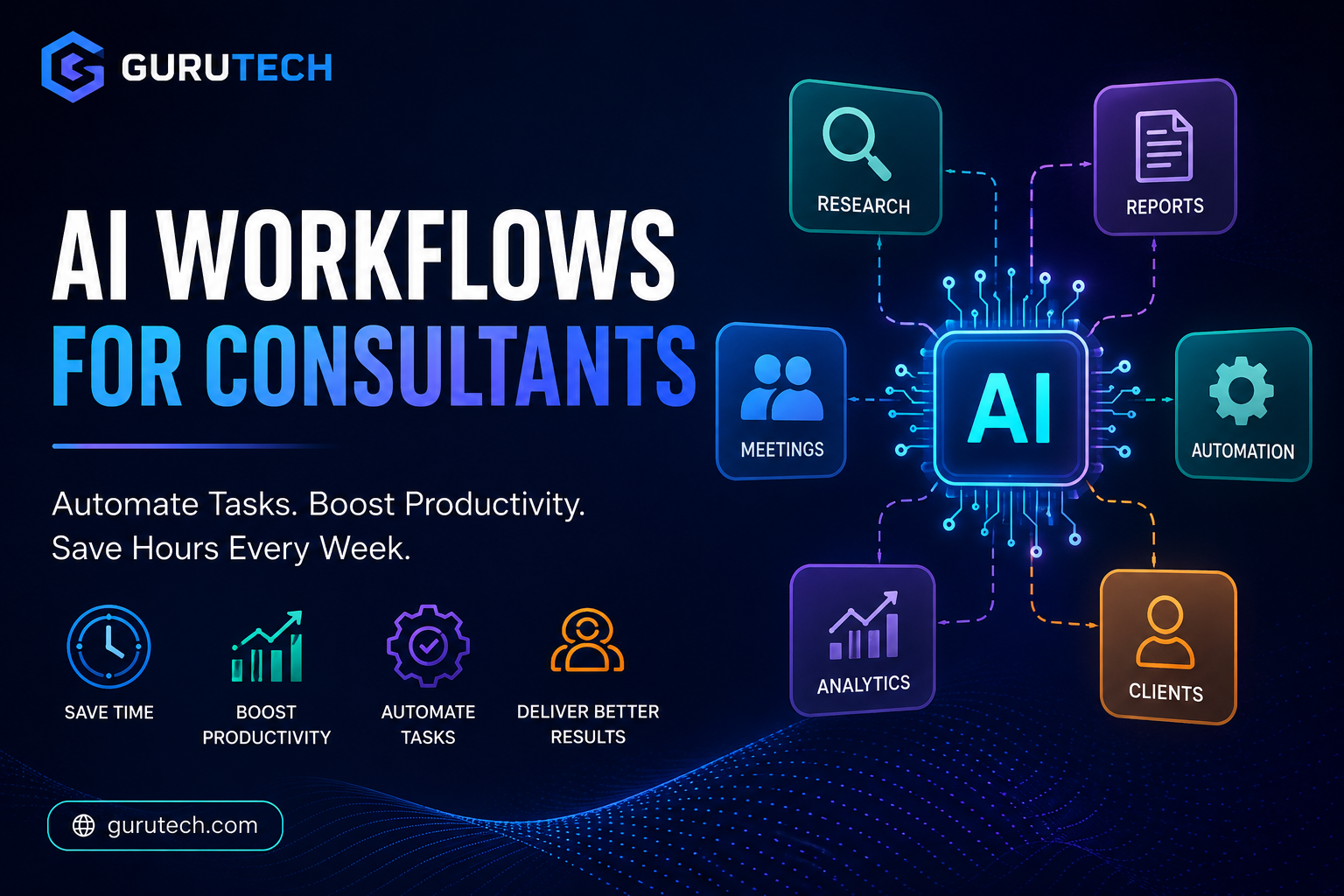
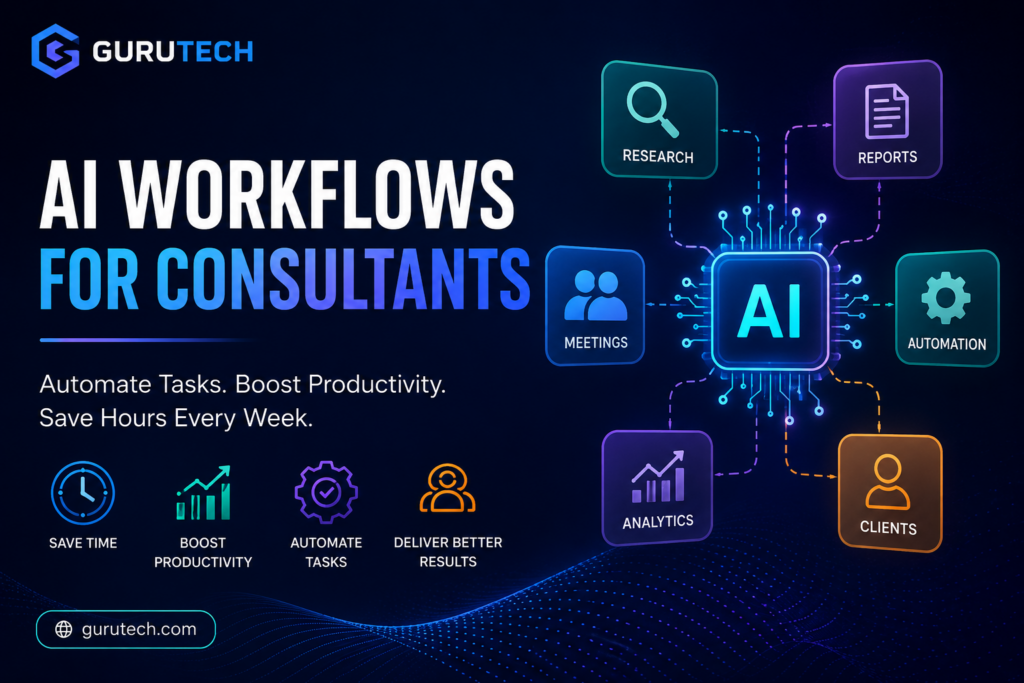
AI workflows for consultants are transforming how consulting work gets done, allowing professionals to automate tasks, improve productivity, and deliver results faster. These systems handle everything from simple data transfers between apps to complex multi-step processes that would otherwise consume hours of your billable time.
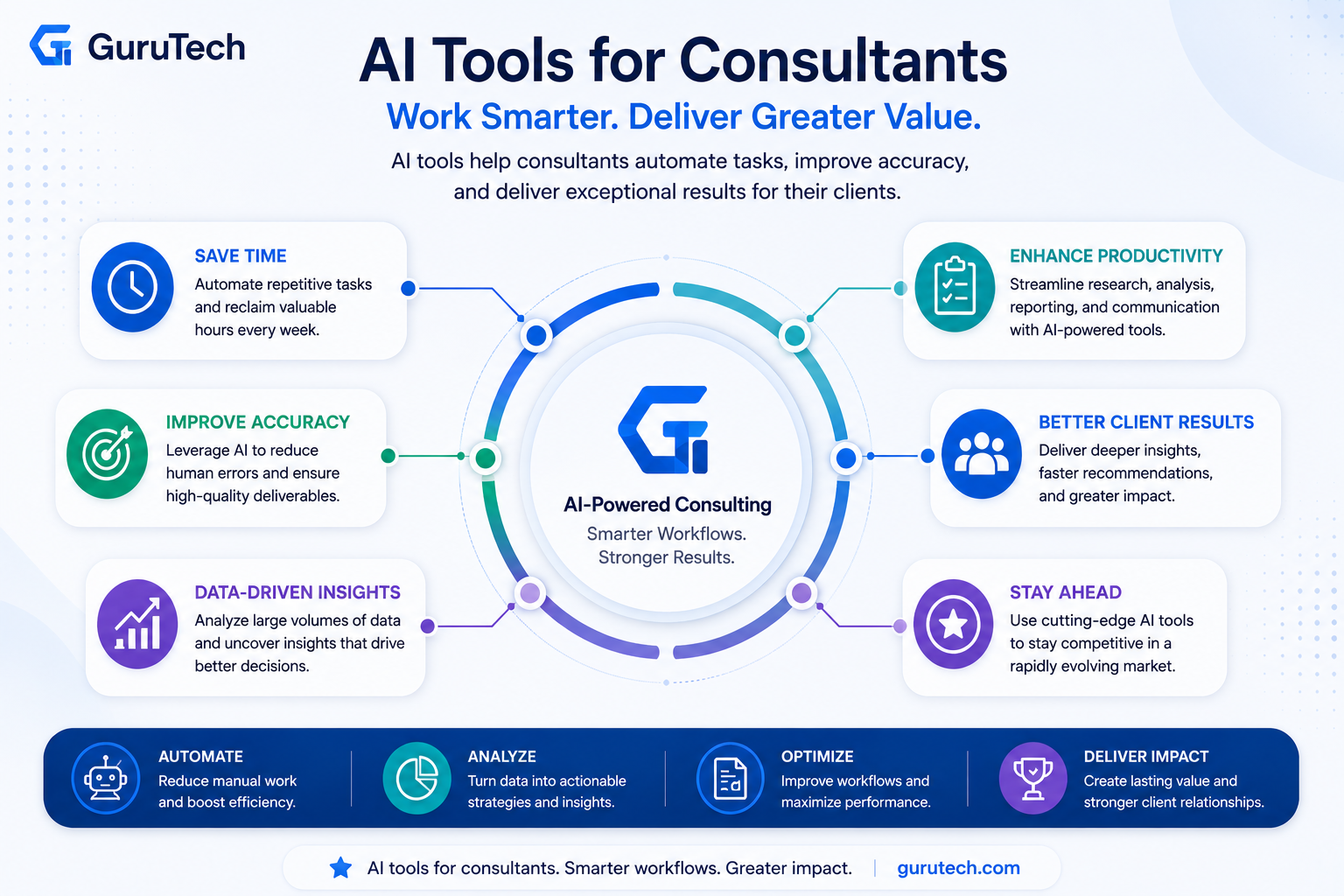
To choose the right tools for these workflows, read our guide on AI tools for consultants.
Workflow Automation Services
Zapier remains the most popular choice for connecting different apps in your consulting toolkit. You can create automated workflows that trigger when specific events occur, like sending client data from your CRM to your project management tool or saving email attachments to cloud storage automatically.
Make (formerly Integromat) offers more visual control over your workflows. You see each step laid out as connected nodes, making it easier to build complex automation sequences. For example, you can set up a workflow that monitors project deadlines, sends reminder emails to clients, and updates your team’s shared calendar all at once.
Levity provides no-code AI blocks that let you add intelligence to your workflows. You can train custom AI models to categorize client emails by urgency, extract key information from contracts, or sort incoming documents by project type. This works alongside standard automation tools to handle tasks that require decision-making rather than just moving data between apps.
Most platforms offer free tiers that let you test basic workflows before committing to paid plans.
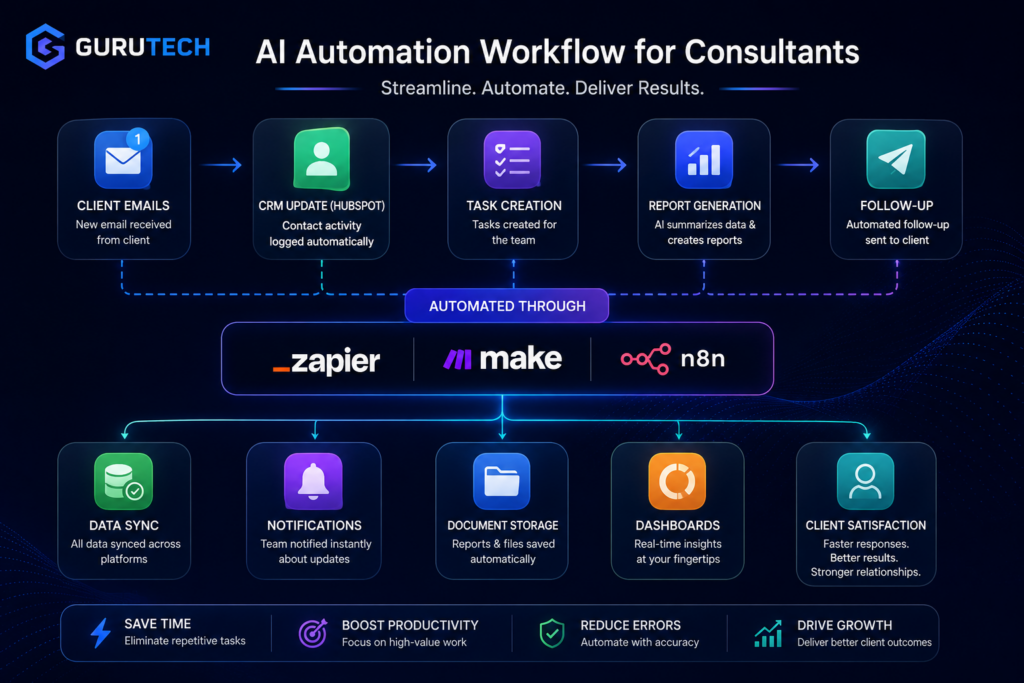
Data Processing Automation
AI workflows excel at handling the data tasks you face daily as a consultant. These platforms can automatically clean spreadsheets, standardize client information formats, and merge data from multiple sources into unified reports.
You can set up automated pipelines that pull data from client systems, apply transformations, and deliver formatted insights to stakeholders. For instance, a workflow might collect sales figures from various regional databases each Monday, calculate performance metrics, and generate comparison charts for your weekly client meeting.
Tools like n8n let you build custom data processing sequences that run on your schedule or in response to triggers. When a client uploads raw data to a shared folder, your workflow can validate the information, flag inconsistencies, and prepare it for analysis without manual intervention.
These systems also handle ongoing monitoring tasks. You can create workflows that track specific metrics across client accounts and alert you when values exceed thresholds or show unusual patterns.
Robotic Process Automation
RPA tools handle tasks that require interacting with software interfaces the way a human would. This technology logs into applications, clicks buttons, fills forms, and extracts information from systems that don’t offer direct integration options.
Enterprise platforms like UiPath and Automation Anywhere suit large consulting operations with complex legacy systems. You record your actions as you complete a task manually, then the RPA bot replicates those steps whenever needed. This works well for generating standardized client reports from proprietary software or updating multiple systems with the same information.
For smaller consulting practices, lighter RPA options integrate with workflow automation services through API connections. You might use RPA to gather data from a client’s older accounting system that lacks modern export features, then feed that data into your standard analysis workflow.
RPA becomes particularly valuable when you serve clients across different industries who use varied software platforms. Instead of learning and manually operating each system, you create bots that handle the routine interactions while you focus on strategic analysis.
Meeting and Communication Enhancement Tools
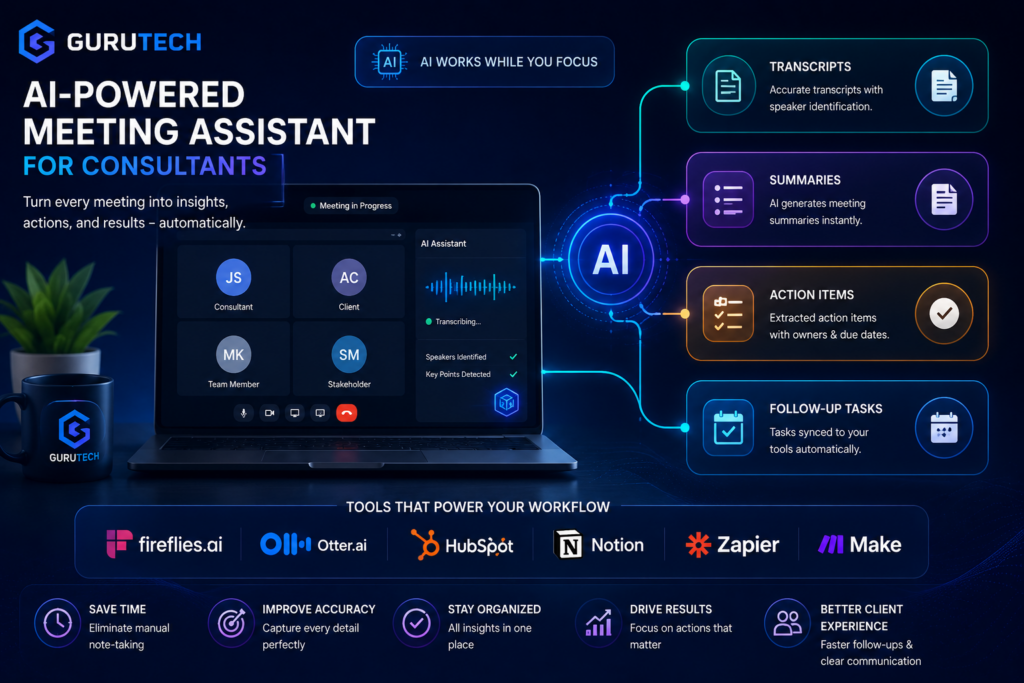
AI meeting tools handle transcription, action items, and follow-up tasks automatically while collaboration platforms use voice cloning and video features to improve client communications. These technologies save consultants hours per week on administrative work.
Automated Meeting Assistants
Meeting assistants like Fireflies.ai and Otter join your video calls to record conversations and generate notes without manual effort. You can connect these tools to Zoom, Microsoft Teams, or Google Meet and they’ll automatically capture everything discussed during client meetings or internal strategy sessions.
Fireflies creates searchable transcripts and pulls out action items, decisions, and key topics from your conversations. When you finish a client discovery call, the tool sends a summary with assigned tasks and deadlines to all participants. You can search across past meetings by keyword to find specific discussions about budget, timelines, or deliverables.
Meeting preparation becomes easier when your assistant analyzes previous conversations with the same client. Before your next check-in, you can review what was promised last time and what questions remain unanswered. The AI identifies patterns across multiple meetings, showing you which topics come up most often with specific stakeholders.
Transcription and Voice Technologies
Transcription tools convert spoken words into text within minutes of your meeting ending. You get accurate records of client requirements, stakeholder concerns, and project scope discussions that you can reference when writing proposals or status reports.
Voice cloning technology lets you create audio content in your own voice without recording new takes each time. When you need to add narration to a client presentation or update a video deliverable, you can type the script and generate natural-sounding audio. This saves time on re-recording when you spot a small mistake or need to change one sentence.
You can also use transcription to analyze your communication style during sales calls. The text shows how often you ask questions versus making statements, helping you adjust your approach for better client engagement.
Collaboration and Video Communication
Loom enables you to record quick video messages that explain complex analysis or walk clients through deliverables asynchronously. Instead of scheduling a 30-minute call to show someone how to use your dashboard, you record a 5-minute Loom video they can watch on their schedule.
You can add your webcam feed alongside screen recordings to maintain a personal connection while demonstrating spreadsheet models or presenting slides. Clients can comment at specific timestamps with questions, and you respond without booking another meeting.
Video communication tools with AI features automatically remove filler words from your recordings and add captions for accessibility. When presenting to global clients, real-time translation helps non-native English speakers follow your explanations more easily.
Project and Client Management Solutions
AI-powered project and client management tools help you track deliverables, communicate with clients, and organize consulting work in one place. These platforms use automation to reduce manual data entry and keep client information accessible across your team.
CRM and Client Portals
HubSpot offers AI features that automatically log client emails, predict deal closures, and suggest next steps in your sales pipeline. You can set up automated follow-up sequences that personalize messages based on client behavior and engagement history.
Client portals let your clients access project updates, shared documents, and invoices without endless email chains. AI tools can automatically categorize uploaded files, send notification reminders for pending approvals, and track which documents clients have viewed. Some platforms use natural language processing to answer common client questions through chatbots, freeing up your time for strategic work.
Modern CRM systems now include AI scoring that ranks leads based on conversion likelihood. This helps you prioritize outreach to prospects most likely to become paying clients.
Knowledge Hubs and Collaboration
Notion and similar platforms use AI to organize your consulting frameworks, templates, and past project documentation. AI search functions find relevant case studies or methodologies across thousands of pages in seconds, even when you don’t remember exact keywords.
These tools can auto-generate meeting summaries, extract action items from notes, and suggest related documents based on what you’re currently working on. You can build searchable databases of client feedback, industry research, and best practices that your whole team can access.
AI-powered collaboration features include smart tagging that categorizes content automatically and notification systems that alert team members only when their input is actually needed.
Integration with Consulting Workflows
The most effective AI tools connect with your existing software stack through native integrations or APIs. You can link your CRM to project management tools, so client data flows automatically from initial contact through project delivery and invoicing.
Workflow automation triggers actions across multiple platforms. When you mark a proposal as accepted in your CRM, the system can automatically create project tasks, send onboarding documents to the client portal, and generate invoice schedules. Some platforms offer 70+ integrations that connect scheduling, email, accounting, and communication tools.
AI can also route tasks to specific team members based on workload, expertise, or availability. This reduces the administrative burden of assigning work manually and ensures projects stay on track without constant oversight.
Specialized AI Tools for Enhanced Productivity
AI tools designed for specific tasks help consultants work faster and communicate better with clients. These specialized solutions handle everything from client conversations to writing refinement and understanding personality types for stronger professional relationships.
AI Chatbots and Virtual Assistants
AI chatbots serve as research assistants and idea generators throughout your consulting projects. ChatGPT Plus offers advanced reasoning capabilities through GPT-4, letting you analyze case studies, draft client recommendations, and brainstorm solutions during strategy sessions. You can feed it client data, ask it to identify patterns, and generate initial frameworks for your presentations.
Microsoft Copilot integrates directly into your existing workflow if you use Microsoft 365 applications. It pulls information from your emails, documents, and meetings to answer questions without switching between apps. When preparing for client calls, you can ask Copilot to summarize previous meeting notes or extract action items from email threads.
These virtual assistants work best when you provide specific prompts. Instead of asking “help me with this project,” try “analyze these three competitor strategies and identify gaps in the market.” The more context you provide, the more useful the output becomes for your consulting deliverables.
Grammar and Communication Optimizers
Grammarly Business goes beyond basic spell-checking to refine your professional communications. It analyzes tone, clarity, and engagement levels in your client emails and reports. The business version includes a brand style guide feature, ensuring all team members maintain consistent messaging across proposals and presentations.
You can set specific goals for each document, like formal tone for board presentations or confident tone for pitch decks. Grammarly flags overly complex sentences that might confuse clients and suggests simpler alternatives. It also catches inconsistencies in terminology, which matters when you’re writing lengthy strategic reports.
The plagiarism detector scans your work against billions of web pages. This protects you when incorporating research and ensures your consulting deliverables remain original.
Personality Analysis and Relationship Tools
Crystal Knows analyzes publicly available information to predict personality types and communication preferences of clients and stakeholders. Before a meeting with a new executive, you can look up their profile to understand whether they prefer detailed data or high-level summaries.
The tool provides specific guidance on email writing, suggesting whether to be direct or relationship-focused based on the recipient’s personality. It integrates with LinkedIn and email platforms to show personality insights right where you work. This helps you adjust your consulting approach for different decision-makers within the same organization.
You can use these insights to structure presentations differently for analytical CFOs versus visionary CEOs. The tool also suggests which team members should lead specific client relationships based on personality compatibility.
AI Workflows for Consultants Comparison
Below is a comparison of the most effective AI workflows for consultants based on the tools covered in this guide.
| Workflow | Tools Used | What It Automates | Key Benefit | Use Case |
|---|---|---|---|---|
| Research & Analysis Workflow | ChatGPT, Claude, Perplexity | Market research, document summaries, insights | Faster, deeper analysis | Industry research, competitive analysis |
| Meeting & Communication Workflow | Fireflies, Otter | Transcriptions, summaries, action items | Reduced admin work | Client meetings, follow-ups |
| CRM & Client Management Workflow | HubSpot | Client tracking, pipeline updates, follow-ups | Better client visibility | Sales, onboarding, relationship management |
| Data Analysis & Reporting Workflow | Tableau, Airtable | Data processing, dashboards, reporting | Clear insights and visualization | Performance reporting, analytics |
| Automation Workflow | Zapier, Make, n8n | Task automation, system integration | End-to-end process automation | CRM updates, reporting pipelines |
| Document & Proposal Workflow | ChatGPT, Notion AI | Proposal drafting, structured documents | Faster content creation | Client proposals, reports |
| Knowledge Management Workflow | Notion AI | Information storage, retrieval, summarization | Centralized knowledge base | Internal documentation, research storage |
Best Practices for AI Tool Implementation
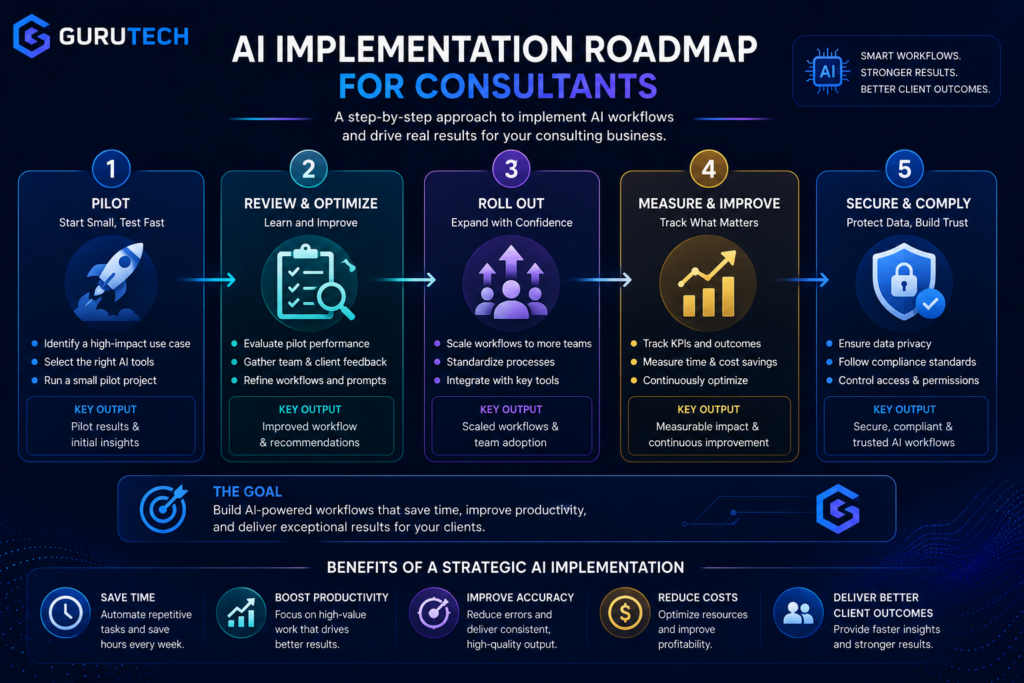
Successful AI adoption requires careful planning around rollout timelines, performance tracking, and data security protocols. You need to balance efficiency gains with protecting sensitive information while proving value to stakeholders.
Phased Adoption Strategy
Start with a single AI tool focused on one specific workflow rather than implementing multiple systems at once. Choose a low-risk area like meeting transcription or research summarization where errors won’t damage client deliverables.
Test the tool with internal projects for 2-3 weeks before using it on client work. During this phase, identify integration capabilities with your existing software stack and document common issues your team encounters.
Once you’re comfortable, expand to one client project while maintaining traditional backup methods. Train your team on proper prompts and quality checks specific to consulting work, such as verifying data sources in analysis reports or ensuring recommendations align with client contexts.
Roll out additional AI workflows only after the first tool shows measurable improvements. This prevents overwhelming your team and allows you to build expertise gradually across different use cases like proposal writing, data visualization, or competitor research.
Measuring ROI and Success
Track time savings by comparing task completion rates before and after AI implementation. For example, measure how long proposal creation takes with AI assistance versus manual drafting.
Key metrics to monitor:
- Hours saved per week on routine tasks
- Number of client deliverables completed per month
- Error rates in AI-assisted work versus manual work
- Client satisfaction scores
- Revenue per consultant hour
Document specific improvements like reducing deck creation from 8 hours to 3 hours or analyzing datasets in 30 minutes instead of 4 hours. Calculate cost savings by multiplying time saved by your billable rate, then subtract AI tool subscription costs.
Review these metrics monthly to identify which tools provide real value and which underperform.
Ensuring Client Confidentiality
Never upload sensitive client data to public AI platforms without explicit permission. Use enterprise versions of AI tools that offer data privacy guarantees and don’t train models on your inputs.
Establish clear protocols for what information can be shared with AI systems. Remove client names, proprietary figures, and identifying details before processing documents through AI workflows.
Create a tiered system for data sensitivity. Public information can use any AI tool, while confidential client strategies require on-premise or zero-retention AI solutions. Some consulting firms maintain air-gapped AI systems for highly sensitive projects.
Review your AI vendors’ security certifications and data handling policies quarterly. Ensure they comply with relevant regulations like GDPR or industry-specific requirements your clients face.